Changelog
What is new in Beste, newest first.
Background studio
v0.9.62
October 7, 2026
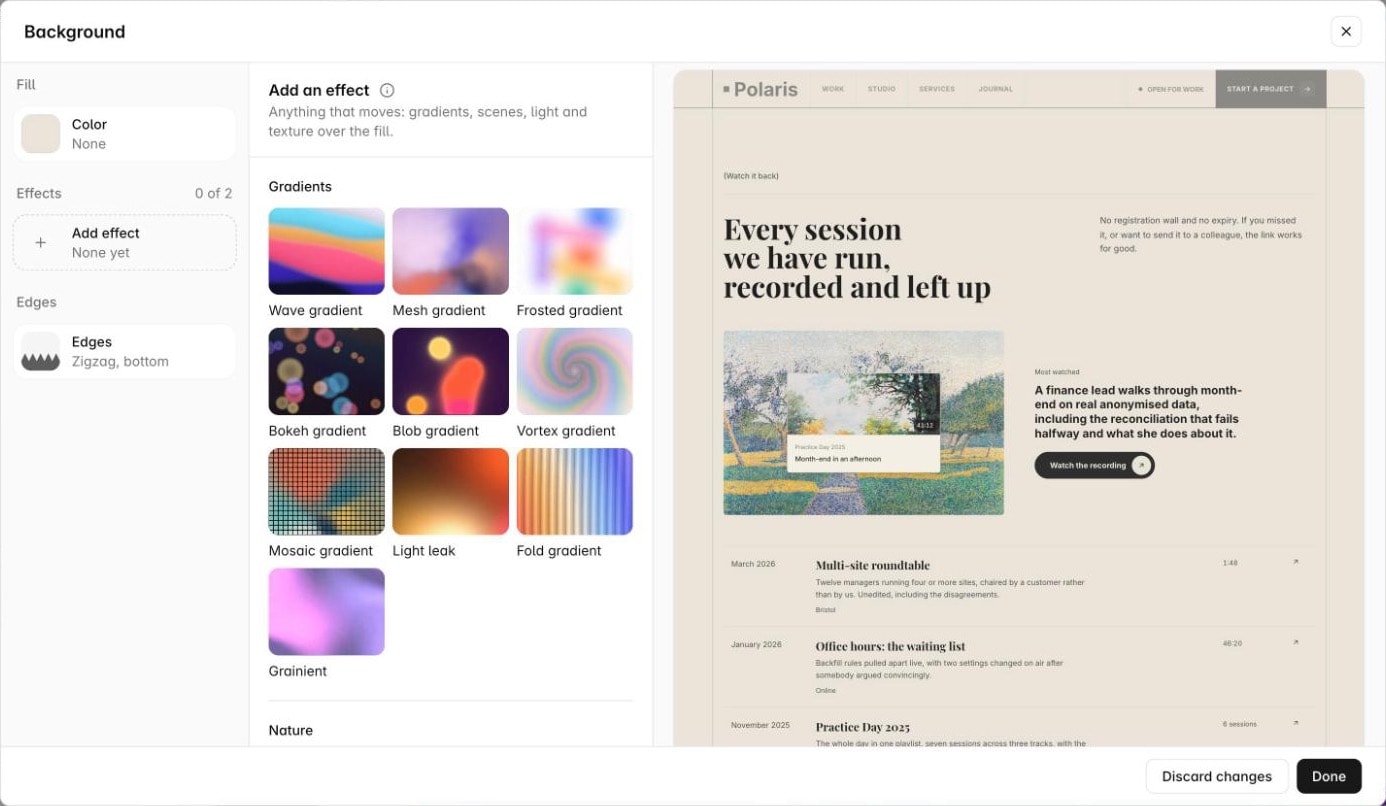
A section's background now opens in a studio, with a live preview of the section between its neighbors.
49 effects, 16 of them new, each with a short video in the gallery. 14 edge shapes for where sections meet, or paste your own SVG.
Section animation gets a preview too, and inset can be set per side.
Isometric pieces
v0.9.61
October 2, 2026
250 isometric pieces for feature cards and bento grids, drawn in SVG with calm looping motion. Each one takes a tone or any hex color.
Add search to your site
v0.9.60
September 17, 2026
Turn on Site Search in Settings and a search button appears in your navbar. Visitors find a word wherever it is written: a page, a post, a product description, with the matching sentence next to each result.
Only published content is found. Every text in the search box can be written in your own words, per language. A Pro feature.
A web address per language
v0.9.59
September 17, 2026
Pages and products can now have a different URL in each language. Set it in the page settings or the product editor; a language you leave empty keeps the default address. The catalog prefix can be translated the same way in Products settings.
Product tools now live on the canvas next to your pages.
Studio looks, and an easier Appearance
v0.9.58
September 13, 2026
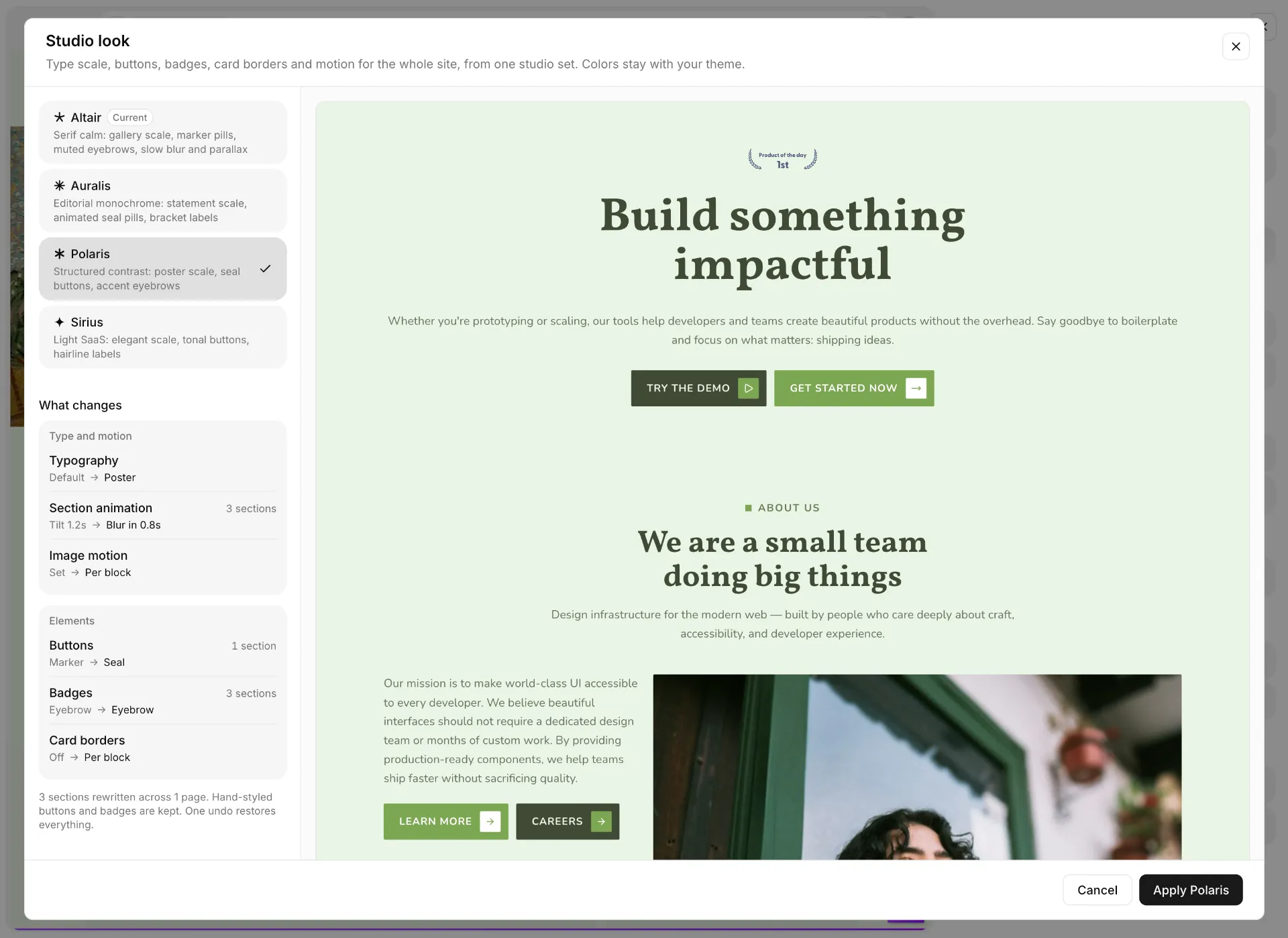
Pick a look for the whole site: Altair, Auralis, Polaris or Sirius. One choice sets the type scale, buttons, badges, card borders and motion on every page, and every section you add later follows it, whichever set it comes from. New sites start in Altair.
Appearance is easier to change now. Theme, fonts, typography, card borders and motion are chosen on a preview of real sections in your own colors, you see what will change before it happens, and one undo takes it all back. The panel is regrouped so each setting is where you expect it, and custom themes are built in the same place.
One type scale for the whole site
v0.9.57
September 11, 2026
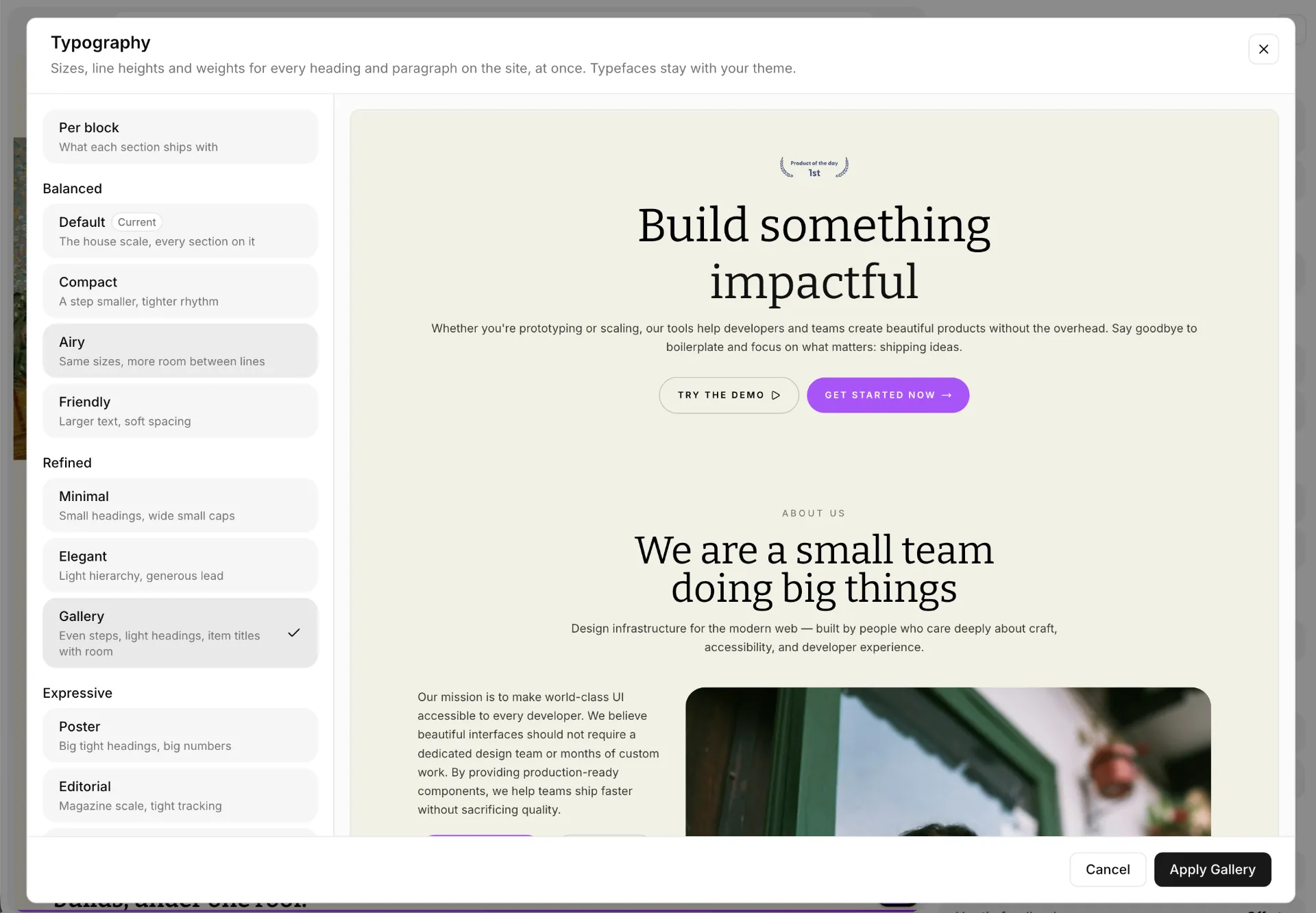
Every section now carries the same text roles, so heading sizes, line heights and weights are set once for the whole site under Typography in Appearance. Ten presets in three moods: Balanced (Default, Compact, Airy, Friendly), Refined (Minimal, Elegant, Gallery) and Expressive (Poster, Editorial, Statement). Leave it on Per block and every section keeps the sizes it shipped with.
A size you picked by hand in a heading still wins; the scale never overrides an edit.
Fifteen new Altair sections
v0.9.56
September 8, 2026
Heroes built around a copyable install command, an agent transcript, a tabbed FAQ, a comparison table with a monthly and yearly switch, a changelog, a policy page and a calm 404.
Site-wide defaults in Appearance
v0.9.55
September 6, 2026
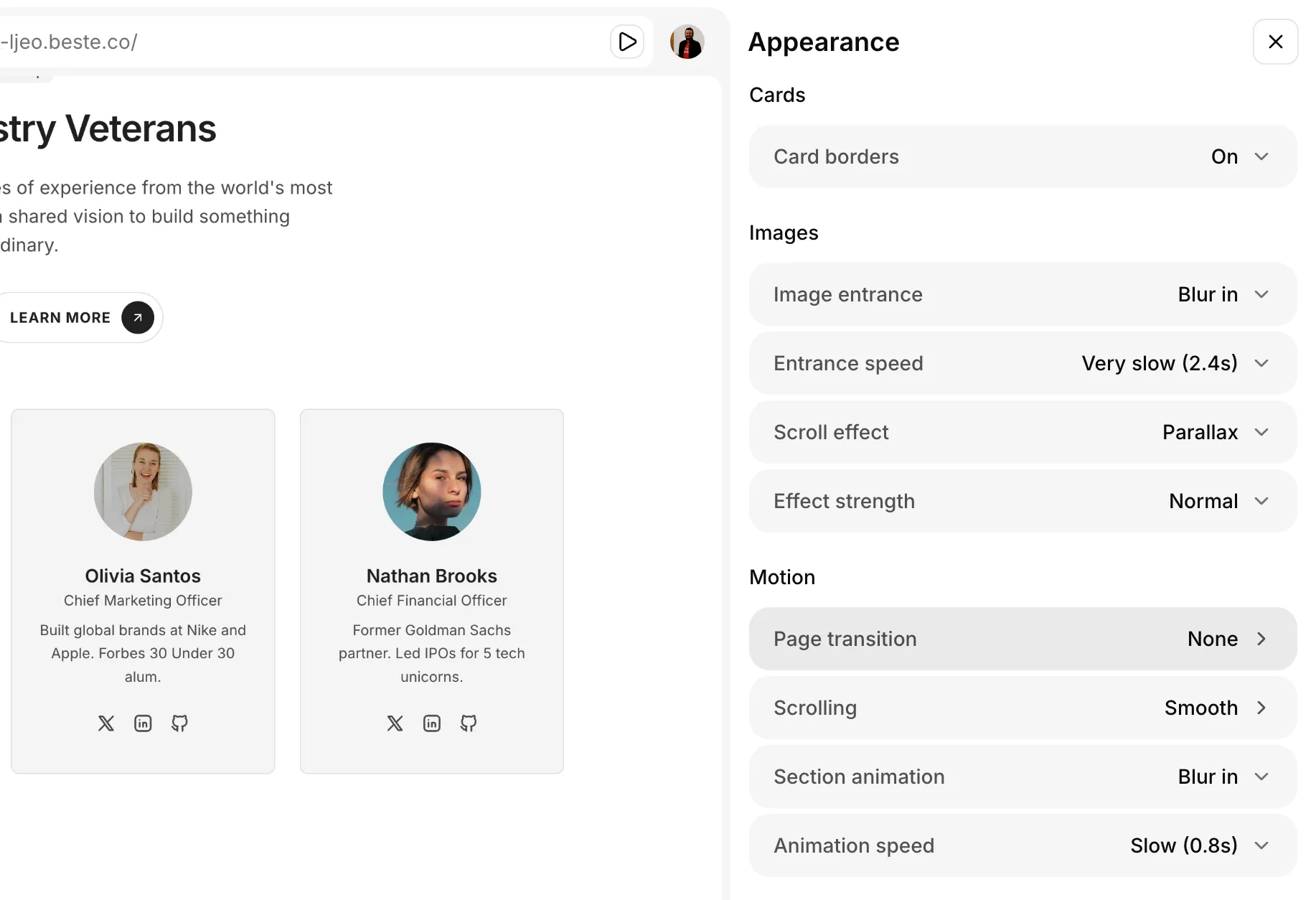
Set card borders, section animation and image motion once for the whole site. Every existing section follows, and so does every section you add later. Each setting can also be left to the blocks themselves.
Seventy-seven new Altair sections
v0.9.54
September 6, 2026
A new set with a calm, photographic look: word-by-word headings, photos that blur in and drift with the scroll, figures that count up.
Heroes, features, about pages, calls to action, testimonials, pricing, FAQs, workflows, stats, logos and more.
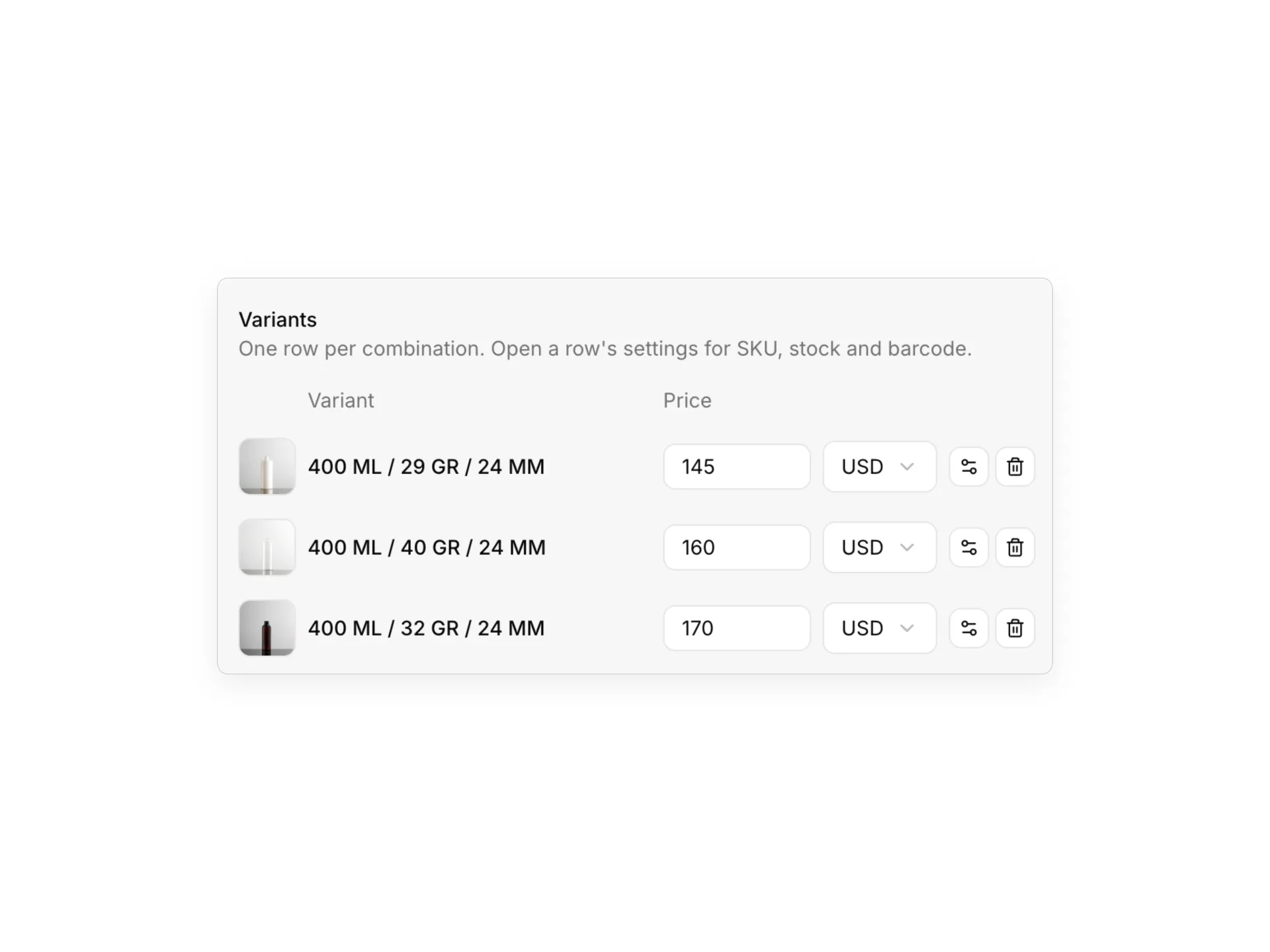
Each product variant can have its own photo
v0.9.53
August 19, 2026
Give a variant its own picture and the product page swaps its main image when a shopper switches. The photo can stay out of the gallery, so one gallery image is enough.
Plus a round of fixes and improvements across the editor.
Seventeen new blog, post and education sections
v0.9.52
August 17, 2026
Four new POLARIS Blog List layouts, all reading from your published posts: a lead story with a rail of thumbnails beside it, a curated reading list of thumbnail rows in two columns, a topic hub card that lists a series by title alone, and topic cards whose numbers count the posts filed under each tag by themselves.
Three new Post layouts as well. Podcast Episode brings a real audio player, chapter rows that seek the audio, show notes and a transcript. Sticky Contents Rail is a long read whose contents rail is built from the headings you write and follows the reader down the page. Newsletter Issue frames a post as an issue, with a masthead, a subscribe button and a dashed rule opening every section.
And a POLARIS Learning Roadmap for the Education category: a numbered vertical rail where each stage opens into its summary and a grid of linked lessons.
Nine more Post layouts for the kinds of writing a plain article template cannot hold: a match report with a scoreboard and stats, a share rail article, an entrepreneur profile, an expert column with a credentials card, a columnist column that ends on your other posts, a recipe card with tickable ingredients, a course lesson with progress and resources, a multi-chapter guide with a guide rail, and a DIY tutorial with tools, outcomes and numbered steps.
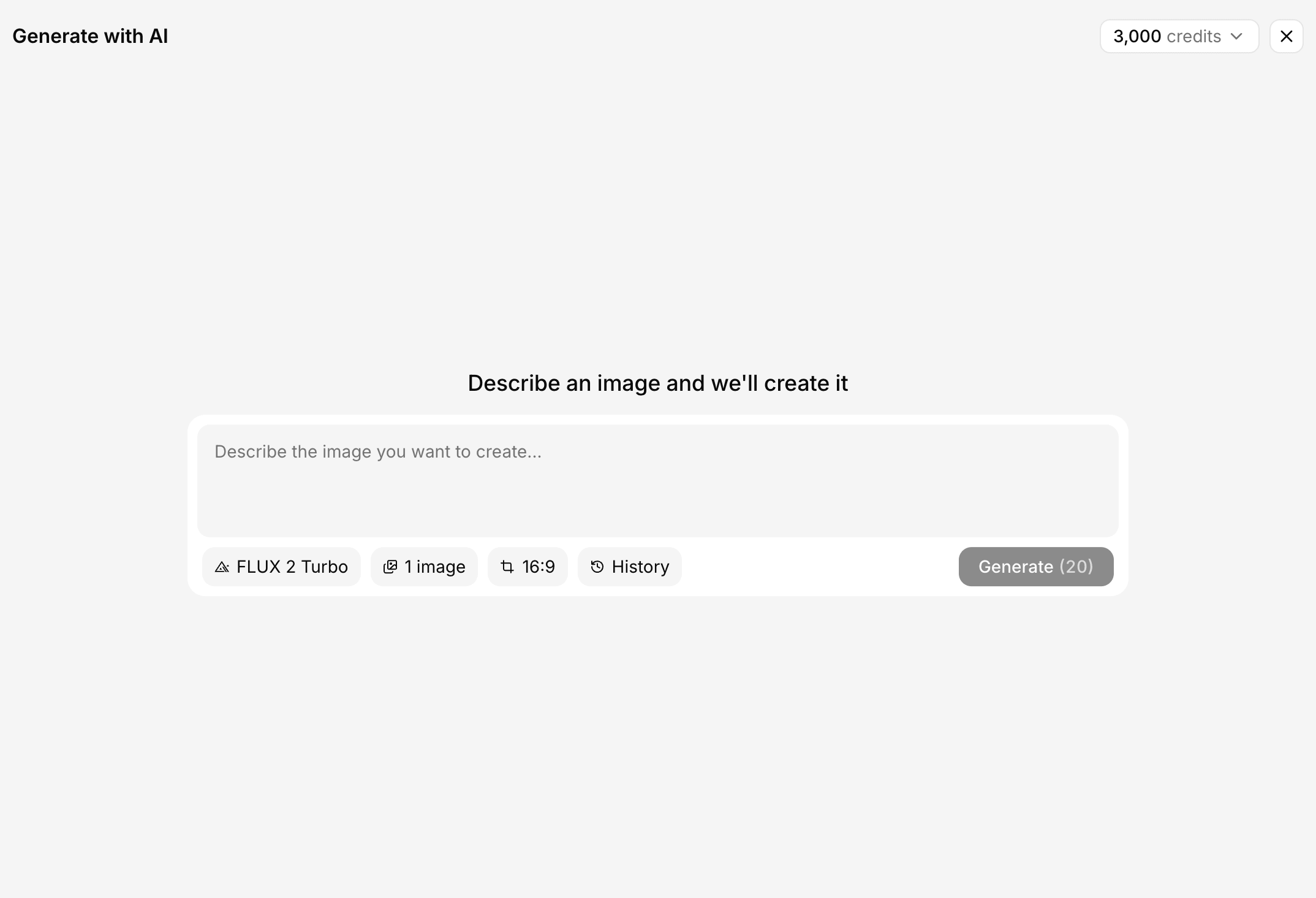
AI image generation, without leaving the editor
v0.9.51
August 15, 2026
AI image generation is built into the media picker, in a new Generate tab. Describe the picture, pick a model and a shape, and the images land in your library, ready for the slot you opened the picker from.
Six models, from fast drafts to the best quality on offer, each with what it costs shown before you spend anything.
Already have an image you nearly like? Revise with AI sends it back with a new instruction instead of starting over.
How AI credits work
v0.9.50
August 15, 2026
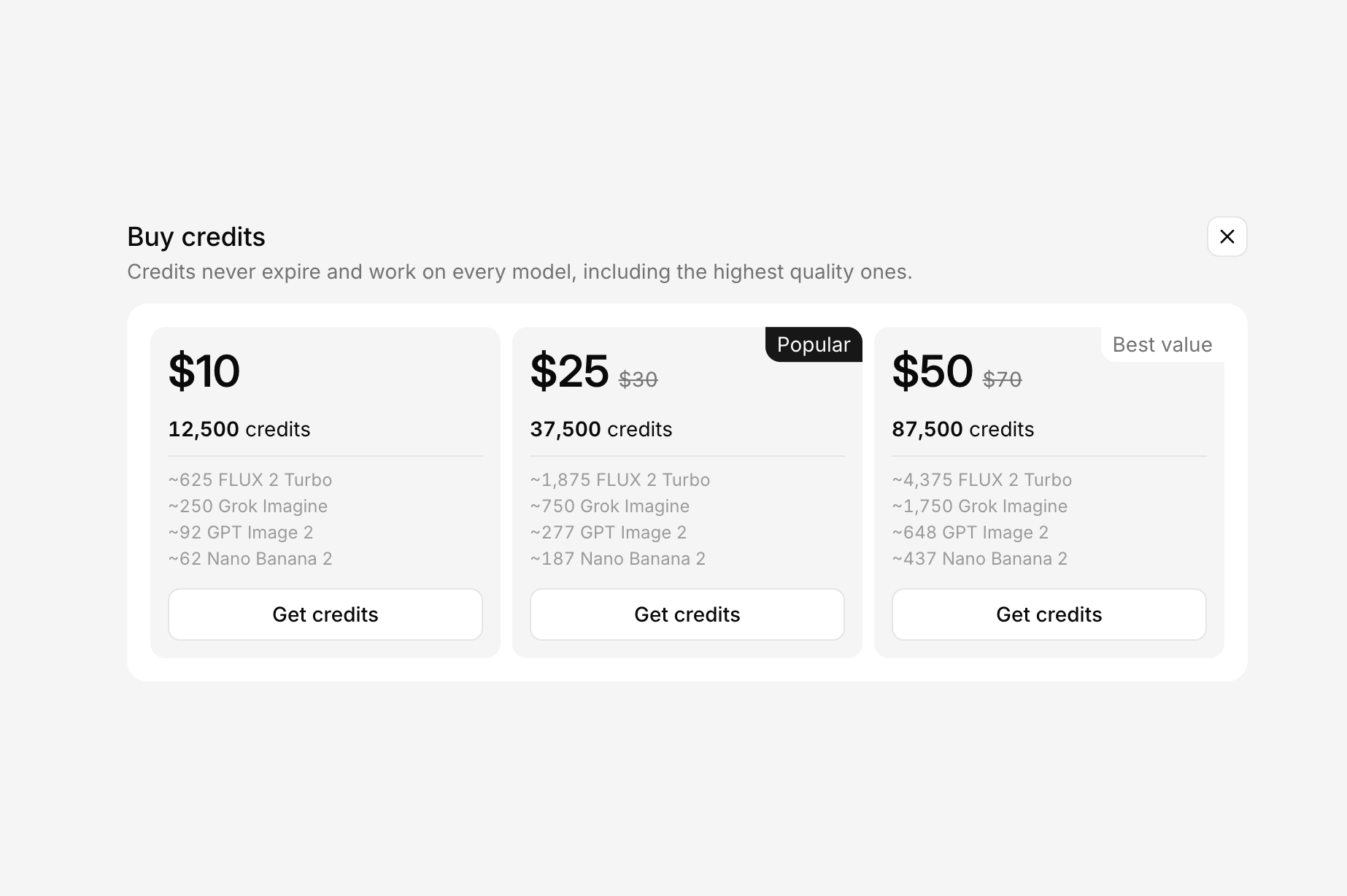
Generation runs on credits, and each project has its own balance. Every new project starts with 200 welcome credits, with nothing to set up and no card to enter. Pro adds 3,000 credits every month, spent before anything you bought.
When you need more, buy a pack. Bought credits never expire, and one purchase unlocks every model for good.
Media gets a place of its own
v0.9.49
August 15, 2026
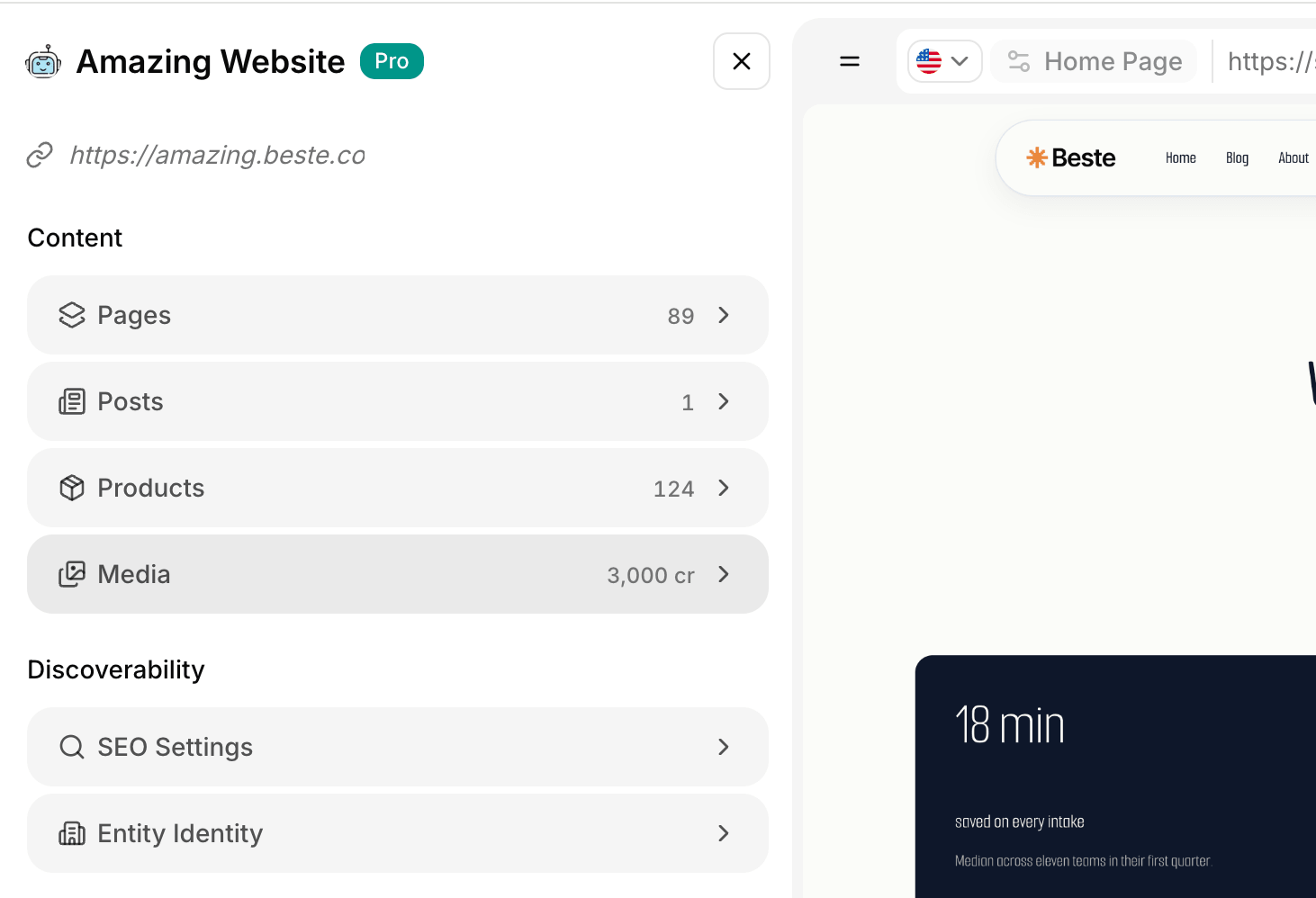
Media is now a row in the main menu, opening a full-width window with Library, Generate and Upload. Somewhere to look at everything you have, and make something new before you know where it goes.
The library sorts, downloads, and opens a proper details view for any file.
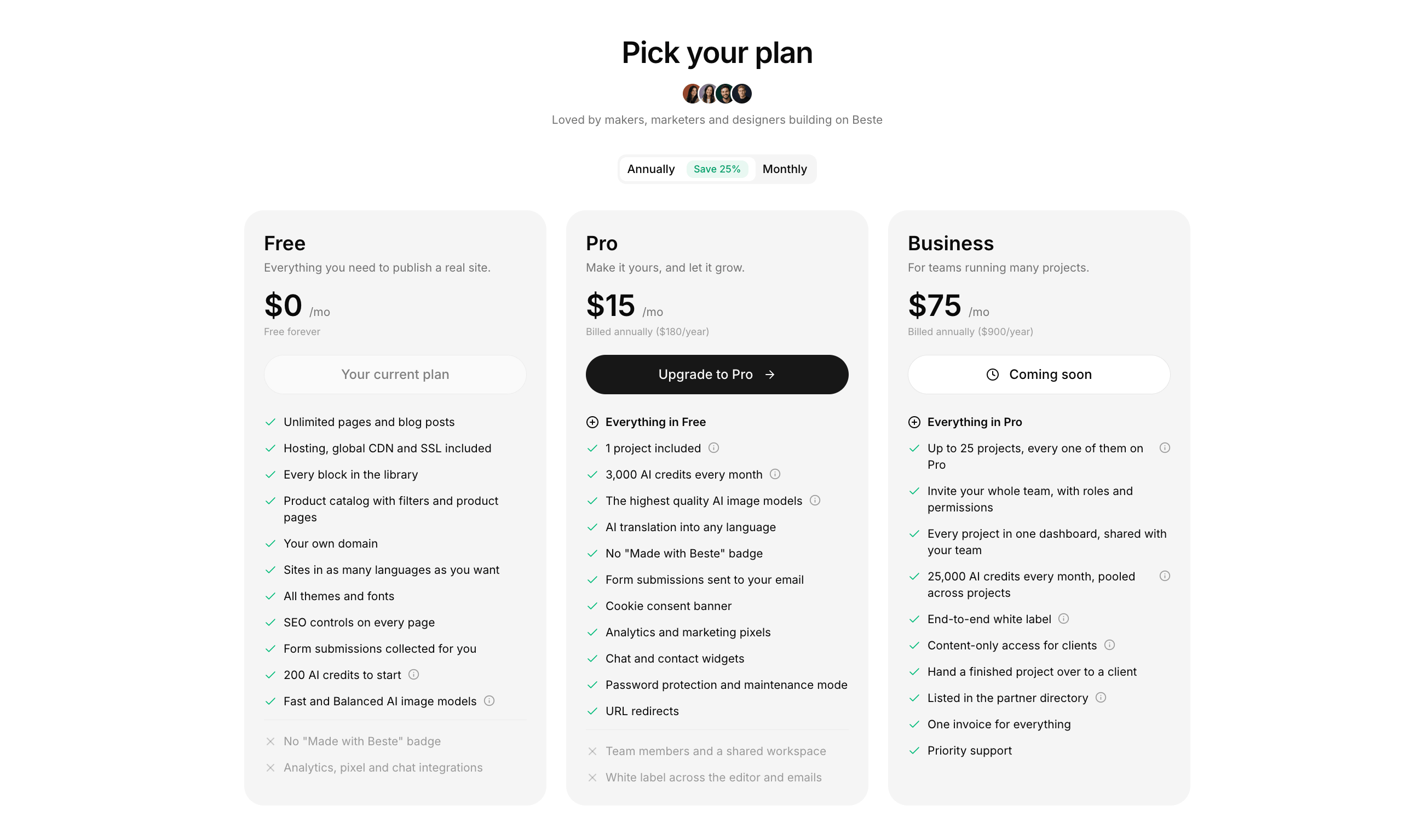
Plus is now Pro
v0.9.48
August 15, 2026
It is Pro from now on, and it carries more than Plus did. In front of it sits a real comparison: three columns, side by side, with what each one includes and what it does not.
Business is on that page too, and is coming next: many projects under one team, pooled credits, white label, and content-only access for clients.
SIRIUS arrives: 68 new sections
v0.9.46
August 6, 2026
A third collection joins Polaris and Auralis. SIRIUS is light and spacious: thin display headings, a single accent colour, and media tiles that float a real piece of product UI. It lands complete, with 11 Hero, 21 Feature, 13 CTA, 5 About, 5 Chat, 5 Event, 3 Bento, 3 Coming Soon and 2 FAQ sections: editorial splits, photo collages, bento asset grids, capability selectors, day timelines, sticky reference lists, scrolling sequence rails, full-bleed workspace bands, a founders' letter and an open company-facts page. Every media slot is a normal media field carrying one of 23 new pieces, so you can keep the live product asset, swap it, or drop your own photo or video in.
12 new Testimonial sections
v0.9.44
July 31, 2026
12 new Testimonial sections: 4 AURALIS and 8 POLARIS client-quote layouts, from quiet quote cards to walls, grids and scrolling marquees.
12 new Blog sections
v0.9.43
July 31, 2026
12 new Blog List sections: 5 POLARIS and 7 AURALIS newsroom layouts. Every one of them lists your published posts, with tag filters, post count and card settings in the editor.
Coming Soon sections that capture emails
v0.9.42
July 24, 2026
18 new Coming Soon sections with a real, editable form built in: 8 AURALIS and 10 POLARIS layouts, from waitlist splits and RSVPs to a bento launch grid and a B2B contact form. Point each one at any of your saved forms and submissions land in your inbox.
Form styles: Polaris & Auralis
v0.9.41
July 24, 2026
Your forms can now match your collection. Pick a Form Style in the form builder: Classic, Polaris (larger fields with a seal submit button), or Auralis (big fields with an animated seal button). A single email field collapses into an inline pill with the button tucked inside, and new sites default to Auralis.