



Shadcn Blocks for Websites: A Complete Guide
Shadcn gave developers a shared design language. Shadcn blocks took it further — pre-built website sections you can copy-paste or use visually. Here's how they work, what types exist, and how to build a full website with them.

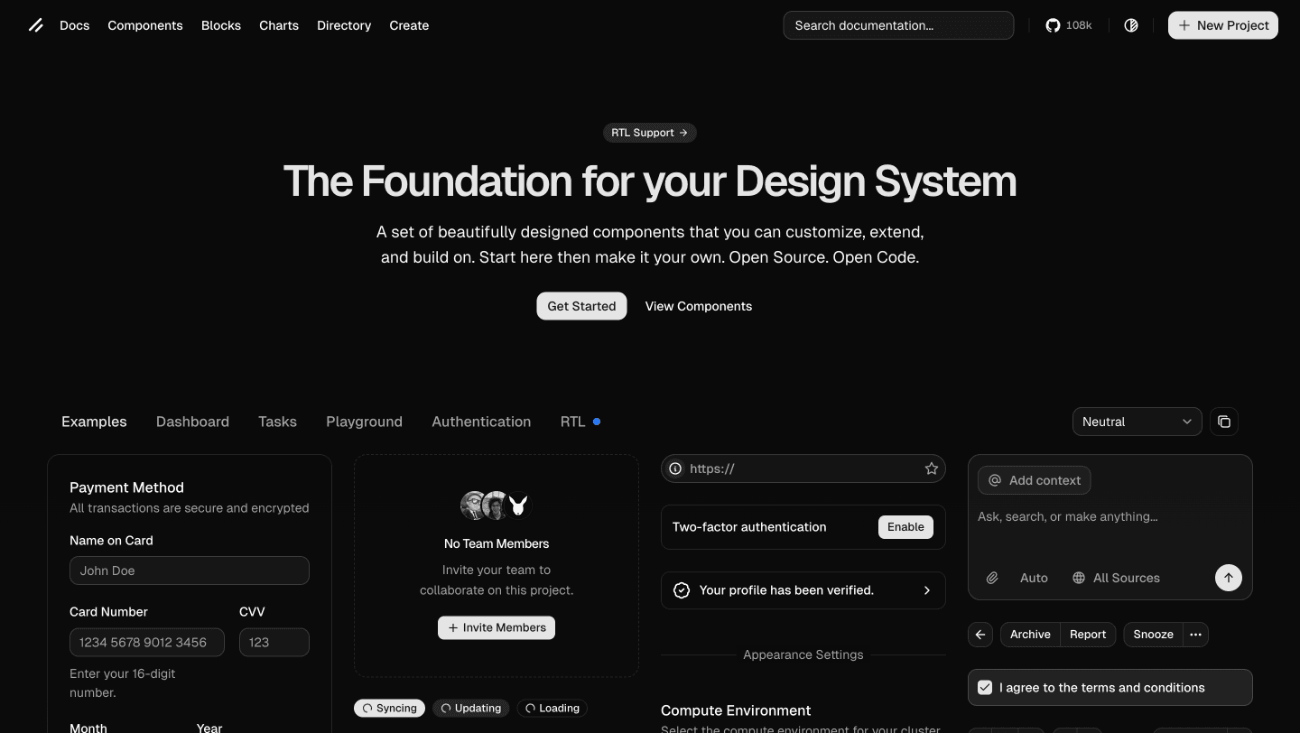
Shadcn/ui changed how developers build interfaces. Instead of installing a monolithic component library, you copy individual components into your project, own the code, and customize freely. No black boxes. No dependency chains. Just clean, accessible React components built on Radix UI / Base UI and Tailwind CSS.
But shadcn/ui gives you components — buttons, cards, dialogs, inputs. Building a full website from these primitives still requires hours of layout work, responsive design decisions, and careful composition.
That is where shadcn blocks come in.
This guide covers what shadcn blocks are, the different types available, how developers and non-developers use them to build websites, and how the ecosystem has evolved from copy-paste code snippets into full visual website builders.
What Are Shadcn Blocks?
A shadcn block is a pre-built, full-width website section composed from shadcn/ui components. While a component is a single UI element (a button, a card, an input field), a block is a complete section of a page. Hero section, a feature grid, a pricing table, a testimonial carousel, a FAQ accordion, or a footer.
Think of the relationship this way: components are the words, blocks are the paragraphs. You need both to write a page, but blocks get you there much faster.
Each block is designed to be self-contained. It handles its own layout, spacing, responsive behavior, and visual hierarchy. You can stack blocks vertically to compose a full page, and because they all share the same design system (Tailwind CSS utility classes, shadcn/ui primitives, consistent spacing scales), they look cohesive together even when mixed from different sources.
The shadcn blocks concept originated from the official shadcn/ui blocks page, which initially focused on application UI patterns like dashboards and sidebars. The community then expanded the idea to cover marketing and website patterns — hero sections, landing pages, blog layouts, and more. One example is Beste UI, that focuses specifically on website sections — heroes, features, pricing tables, and other page-level building blocks designed to work together as a cohesive system.

Types of Shadcn Blocks for Websites
The shadcn block ecosystem covers virtually every section a modern website needs. Here are the most common categories:
Hero sections are the first thing visitors see. A typical shadcn hero block combines a headline, a subheading, a call-to-action button, and either an image, a video placeholder, or an abstract background element. Good hero blocks come in multiple layout variants: centered text, split layout with image on the right, full-bleed background, and minimal text-only.
Feature sections showcase what a product or service offers. These usually use a grid layout — three columns for desktop, stacking to single column on mobile. Each feature cell contains an icon, a title, and a short description. The best feature blocks handle four, six, or even eight items gracefully without looking cluttered.
Pricing tables display plans side by side with clear comparison of what each tier includes. Shadcn pricing blocks typically support monthly/annual toggle, a highlighted "popular" tier, and feature check lists.
Testimonials present social proof through customer quotes. Layouts range from single featured quotes to multi-card carousels and grid displays. Good testimonial blocks include avatar images, names, roles, and company information.
FAQ sections use accordion components to present questions and answers in a compact, expandable format. These are especially valuable for SEO because they map directly to FAQ schema markup that search engines can display in results.
Call-to-action sections are designed to convert visitors. They typically combine a compelling headline, a brief description, and one or two buttons. CTA blocks often use contrasting background colors to stand out from surrounding content.
Blog layouts structure article content with proper typography, image handling, metadata display, and navigation between posts. Blog blocks built on shadcn use the same type scale and spacing as the rest of the site, maintaining visual consistency.
Footer sections close the page with navigation links, company information, social media links, and legal notices. Multi-column footer blocks organize content cleanly across different screen sizes.
Contact and form sections collect user information through structured inputs. When built on shadcn/ui's form components (which use React Hook Form and Zod validation under the hood), these blocks handle validation, error states, and accessibility automatically.
Navigation headers provide the top-level menu structure with responsive mobile hamburger menus, dropdown submenus, and optional search or CTA buttons.

How Developers Use Shadcn Blocks
For developers working in React and Next.js, shadcn blocks follow the same philosophy as shadcn/ui components: copy the code, paste it into your project, own it completely.
The workflow is straightforward. You browse a block library, find a hero section you like, copy the React component code, paste it into your project, and customize the content, colors, and layout as needed. Because the code is yours, not hidden behind a npm package, you have full control to modify anything.
Several community-driven block libraries have emerged around this workflow. The official shadcn/ui blocks page offers application-focused patterns. Third-party collections have expanded the selection to cover marketing pages and website sections, often with hundreds of blocks across categories. Beste UI takes this a step further by providing website-specific blocks that are designed to compose into complete pages — you can browse the full collection and copy-paste directly from the site, or install via the shadcn CLI.
The challenge, of course, is that the ecosystem keeps growing. New block libraries launch every day, and finding the right component means jumping between GitHub repos, documentation sites, and community threads. That's exactly the problem Shoogle solves — it works as a search engine specifically built for shadcn blocks, aggregating components from dozens of libraries into a single search interface. Type "hero" or "pricing" and you'll see matching blocks from across the entire ecosystem, with previews and direct links to the source code.
The developer approach is powerful but has a clear limitation: it requires coding skills. You need to be comfortable with React, Tailwind CSS, and the shadcn/ui component API. For developers, this is efficient. For founders, marketers, and small business owners, it is a non-starter.
This gap is what led to the emergence of visual website builders built on shadcn blocks.
How Non-Developers Use Shadcn Blocks
The core insight behind shadcn-based website builders is simple: if blocks are already designed and coded, why should you need to write code to use them?
A shadcn website builder takes the same curated blocks that developers copy-paste and wraps them in a no-code interface. Instead of reading React code, you browse a visual library. Instead of editing JSX, you type into text fields and upload images through a sidebar. Instead of running a build command and deploying, you click publish.
The output is the same: a website built from high-quality shadcn blocks with consistent design, proper responsive behavior, and fast performance. The process is radically different.
This approach bridges a genuine gap in the market. Before shadcn-based builders existed, non-developers had two options: use a traditional website builder (Wix, Webflow, Squarespace) with proprietary design systems, or hire a developer to build a custom site. Neither option gave them access to the modern, clean aesthetic that shadcn/ui is known for.
Now, anyone can build a website that looks like it was designed by a product team — because it was. The blocks were designed and coded by people who understand component architecture, spacing systems, and responsive design. The builder just makes them accessible without requiring that same expertise.

Why Shadcn Blocks Produce Better Websites
Not all website sections are created equal. Blocks built on shadcn/ui have structural advantages over what most website builders offer:
Consistent design language. Every block shares the same foundation: Tailwind's spacing scale, shadcn's color system, and standardized component patterns. A hero section and a footer from completely different creators will still look like they belong on the same page. Traditional website builders often suffer from visual inconsistency between sections because each template was designed in isolation.
Accessible by default. Shadcn/ui components are built on Radix UI, which implements WAI-ARIA patterns for keyboard navigation, screen reader support, and focus management. When blocks are composed from these components, accessibility comes built in — not as an afterthought.
Clean, semantic markup. Shadcn blocks produce proper HTML structure with appropriate heading hierarchy, semantic elements, and minimal DOM bloat. This matters for search engine optimization and page performance. Many drag-and-drop builders wrap elements in multiple nested containers that add weight and complexity.
Responsive without compromise. Tailwind's responsive utility classes make it straightforward to define different layouts for different screen sizes. Shadcn blocks use these utilities systematically, so a three-column feature grid collapses to a single column on mobile without any manual adjustment from you.
Fast load times. Because shadcn blocks use utility CSS (Tailwind) rather than heavy CSS frameworks, and because the component code is lean and tree-shakeable, websites built from these blocks tend to load faster than their counterparts on traditional builders. When deployed on edge networks like Vercel, the performance advantage compounds.
Building a Website with Shadcn Blocks: Step by Step
Whether you are a developer or not, the process follows the same conceptual steps:
Define your page structure. Before touching any tool, decide what sections your page needs. A typical landing page follows this sequence: navigation → hero → social proof (logos or testimonial) → features → how it works → pricing → FAQ → call to action → footer. This structure works because it mirrors how visitors make decisions: understand → trust → evaluate → act.
Select your blocks. Browse the available library and pick one block for each section. Do not overthink this. The goal is a strong starting point, not a final product. You will customize everything in the next step.
Customize content. Replace all placeholder text with your actual copy. Swap stock images for your own visuals. Adjust colors to match your brand. If you are using a visual builder like Beste, this happens in a sidebar panel. If you are coding, this happens in your editor.
Review on mobile. Check how every section looks on a phone screen. With shadcn blocks, the responsive behavior is already built in, but you should still verify that your specific content (longer headlines, different image proportions) works well at smaller sizes.
Publish. If you are using a no-code builder, this is a single click. Your site goes live with hosting, SSL, and CDN included. If you are self-hosting, deploy to Vercel, Netlify, or your platform of choice.
The entire process — from blank page to live website — typically takes between one and three hours. That timeline is possible specifically because shadcn blocks eliminate the layout and design phase. You are composing, not constructing.

The Shadcn Website Ecosystem in 2026
The shadcn ecosystem has grown rapidly. What started as a component distribution system has expanded into a full design infrastructure layer that powers everything from developer toolkits to complete website builders.
For developers, there are multiple block libraries offering hundreds of copy-paste sections for React and Next.js projects. Discovery tools like Shoogle make it easy to search across all of these libraries at once, so you don't need to bookmark every individual source. For designers, shadcn-compatible Figma kits provide visual design tools that map directly to the component system. For non-developers, visual builders like Beste package these same blocks into no-code experiences with built-in hosting and publishing.
This ecosystem is growing because shadcn/ui solved a fundamental problem: it gave the web development community a shared design vocabulary. When everyone uses the same primitives, everything works better together. Blocks from different creators feel consistent. Templates from different sources look cohesive. Tools built on the same foundation interoperate naturally.
For anyone building a website in 2026, the shadcn ecosystem offers a genuinely better foundation than proprietary design systems — whether you write code or not.