



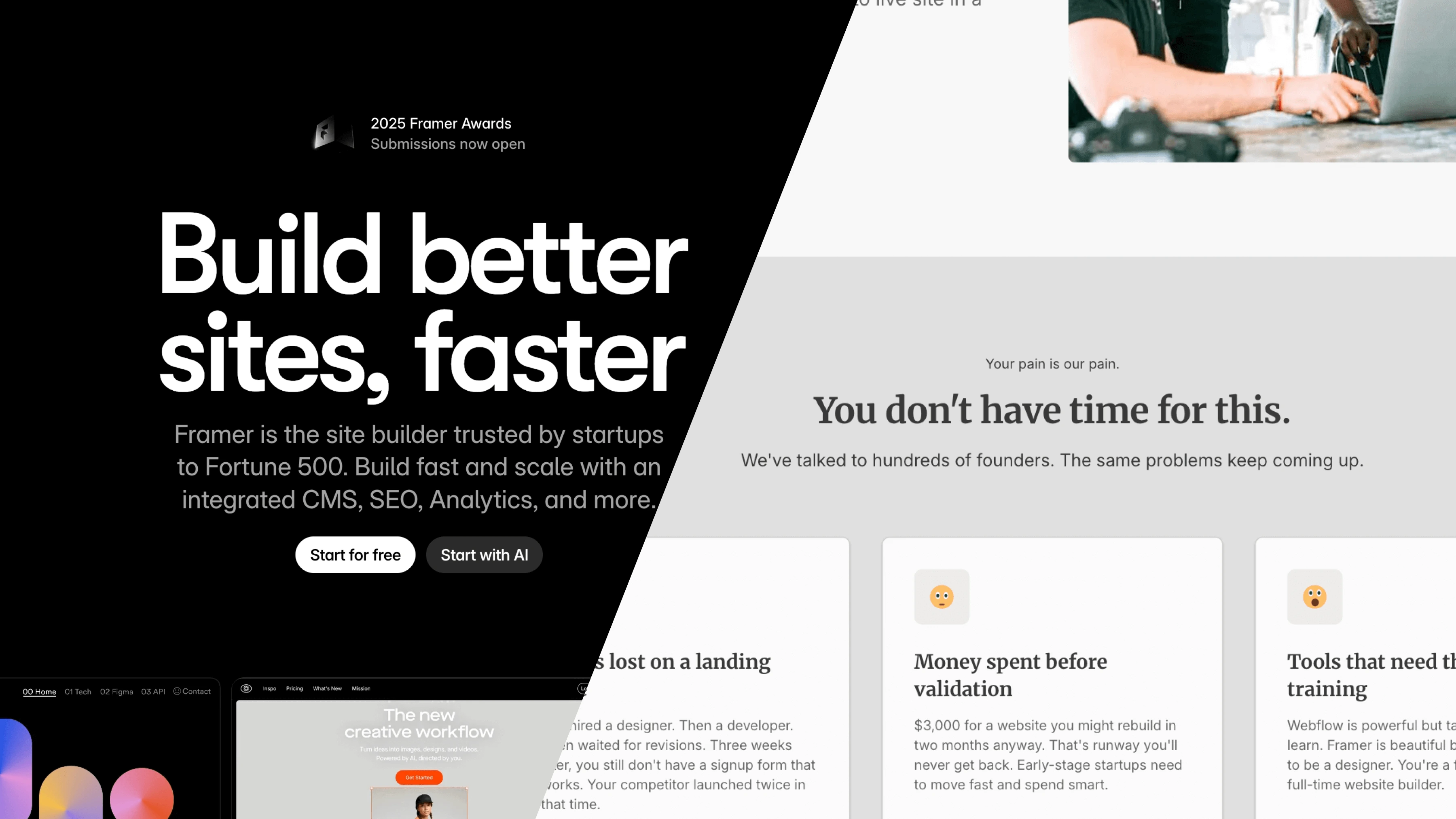
Framer vs Beste
Designer's Canvas or Ready Blocks?
Designers love tools that feel like design tools. Give them a canvas, familiar controls, and creative freedom. They will build beautiful things.
But here is the problem: most people building websites are not designers. They are founders, freelancers, small business owners, and educators. They need professional results without spending months learning professional tools.
Framer is a designer's dream. The interface feels like Figma. The animations are buttery smooth. Creative people thrive in it.
Beste is something different. It removes creative decisions instead of enabling them. Constraints replace freedom. Blocks replace blank canvases.
This article compares both tools honestly. You will understand when each tool makes sense for your situation.
Who Should Read This?
If you are choosing between creative freedom and structured simplicity, this article is for you.
This comparison helps people building:
- Landing pages
- Portfolio websites
- Small business sites
- Startup marketing pages
- Personal blogs
This comparison does NOT cover:
- E-commerce stores (neither tool excels here)
- Complex web applications
- Enterprise platforms
Quick Comparison: The Basics
| Framer | Beste | |
|---|---|---|
| Best for | Designers who love animations | Non-designers who need to ship fast |
| Learning curve | Moderate (days to weeks) | Minimal (hours) |
| Starting price | $10/month | Free |
| Free custom domain | No | Yes |
| Free multi-language | No ($30+/mo per locale) | Yes |
| Unlimited pages | Plan dependent | Yes, all plans |
| Time to first site | 2-7 days | 2-6 hours |
| Animation capability | Best in class | Pre-built effects |
| Design approach | Free-form canvas | Structured blocks |
| CMS capability | Good (with limits) | Built-in section based CMS |
Framer: The Designer's Playground
What is Framer?
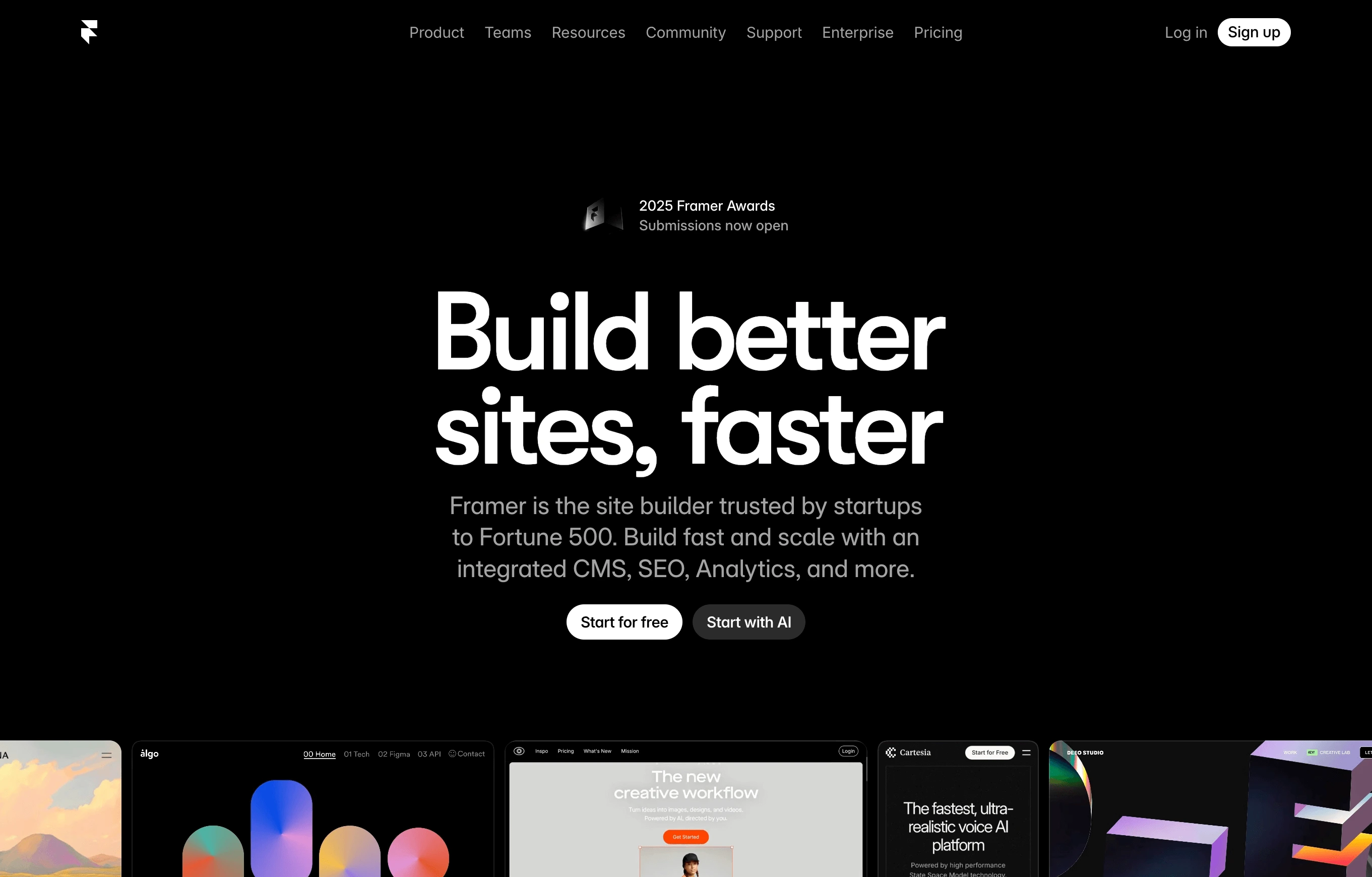
Framer started in 2014 as a prototyping tool. Designers used it to create interactive mockups before handing designs to developers. Over time, it evolved into a full website builder.
The key insight: designers already know how to use design tools. Why make them learn something different to build websites?
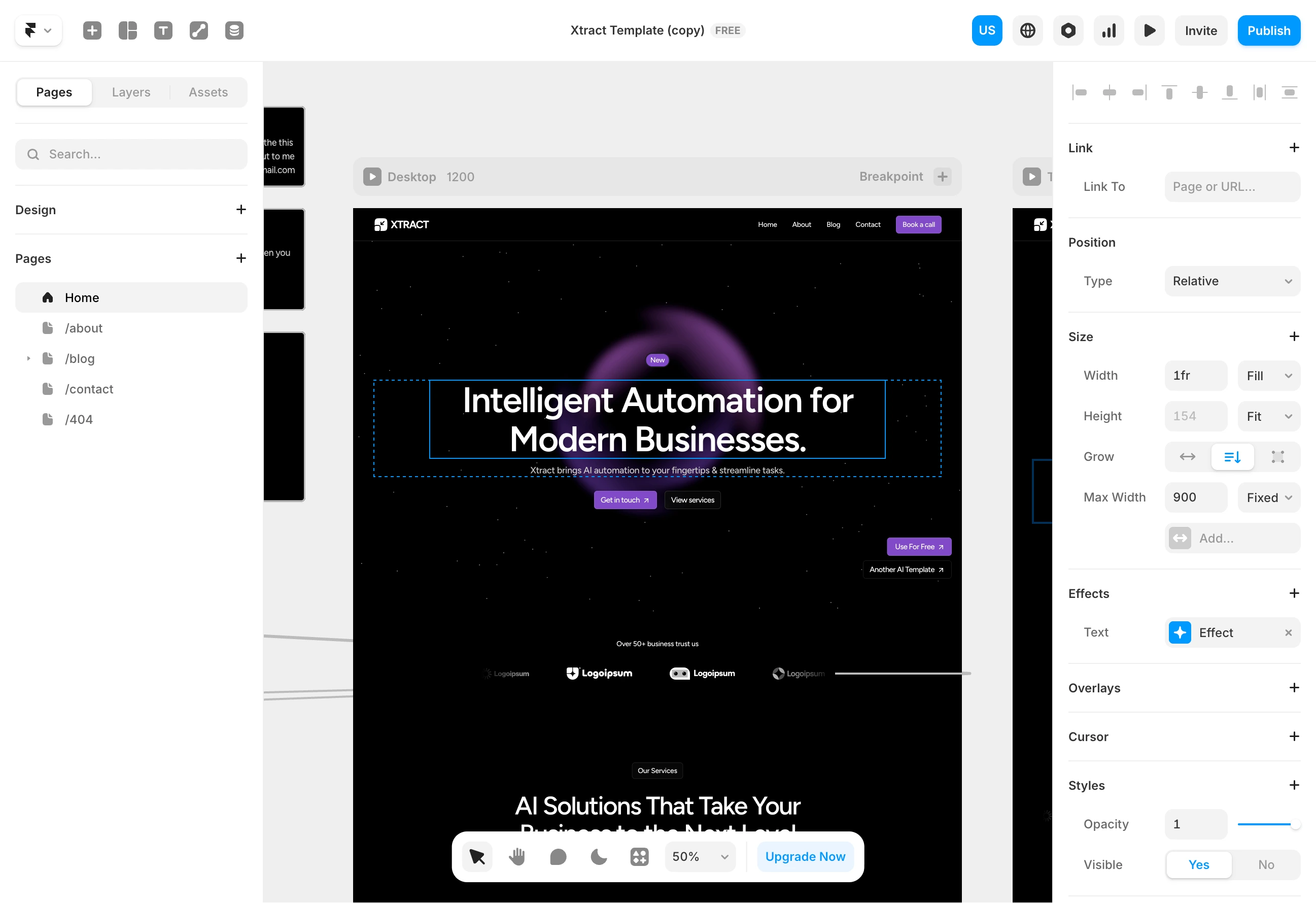
Framer feels like Figma or Sketch. The canvas works the same way. The panels look familiar. If you design for a living, Framer feels like home.
What Framer Does Brilliantly
The interface makes sense to designers. If you have spent time in Figma, you will understand Framer immediately. The free-form canvas, the property panels, the layer hierarchy. Everything works the way designers expect.
This matters more than it sounds. Learning new tools takes time. Framer minimizes that time for its target audience.
Animations are exceptional. This is Framer's signature strength. Scroll effects, hover states, page transitions, micro-interactions. Everything feels smooth and polished.
The Ticker Effect creates continuous motion for text and images. The Flow Effect animates adjacent sections together. Masonry Grids enable Pinterest-style layouts. Framer takes motion design seriously.
Direct Figma import. Design in Figma, bring it to Framer. Copy elements or entire pages. This bridges the gap between design and development better than most tools.
AI features that actually help. Framer added AI tools for layout generation and content assistance. The "Wireframer" feature creates responsive layouts from simple prompts. It is not magic, but it speeds up initial work.
Real-time collaboration. Multiple people can work on the same project simultaneously. Clients can comment directly on designs. Feedback loops get faster.
Where Framer Gets Frustrating
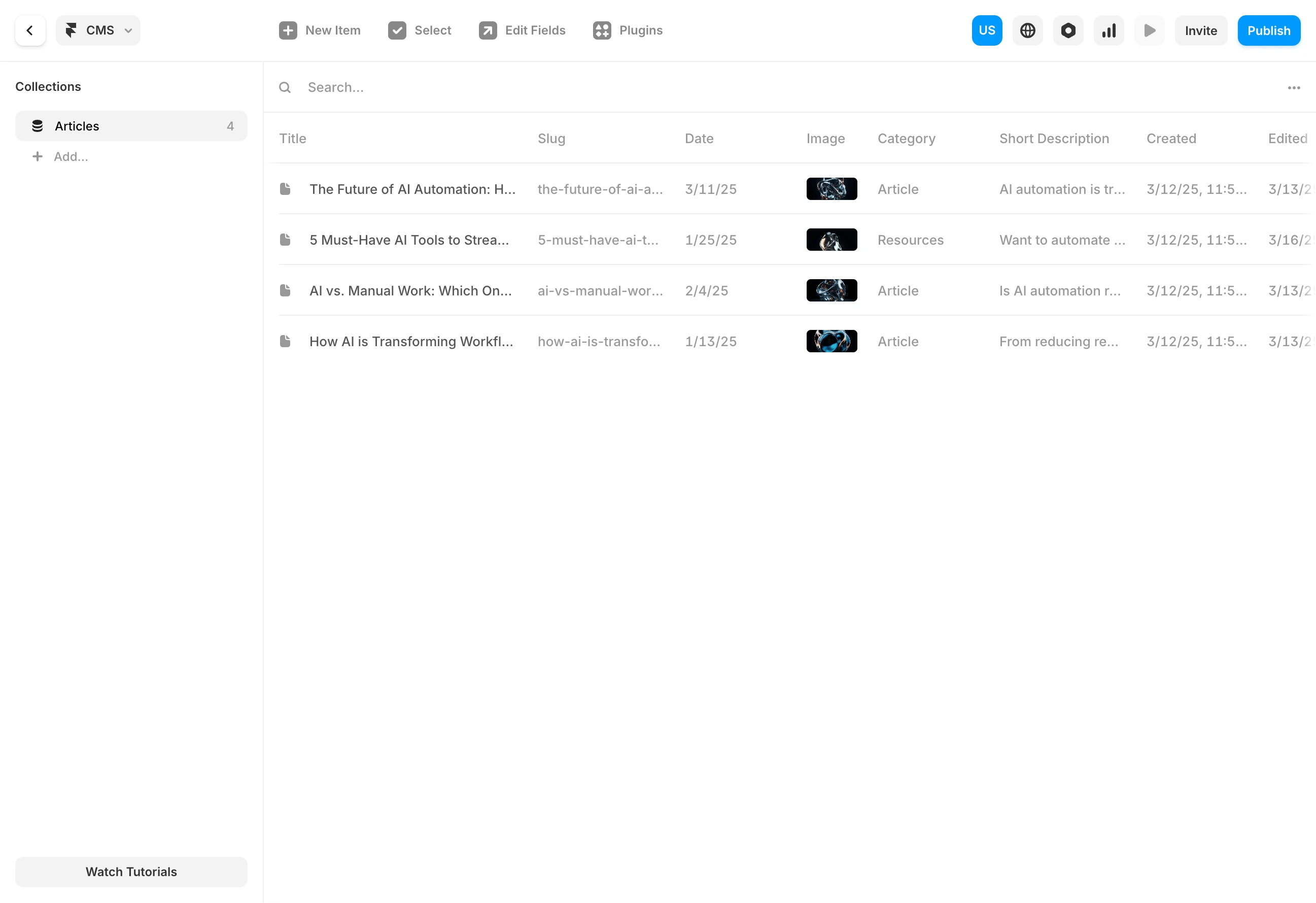
CMS limits on lower plans. After Framer's October 2025 pricing update, the Basic plan ($10/month) includes only ONE CMS collection.
Think about what that means. If you want a portfolio (one collection) and a blog (second collection), you already need the Pro plan at $30/month. Many users complained about this change on forums.
Localization costs add up. Each additional language costs extra. For a site in three languages, you might pay double the base price.
Example calculation for a Pro plan with German, French, and Italian:
Base Pro plan: $30/month
Two additional locales: ~$50/month extra
Total: ~$80/month for a multilingual site
This is expensive for small businesses serving multilingual audiences.
You still need design skills. Framer gives you a blank canvas. What you put on it is up to you. If you understand spacing, typography, and color, great. If you do not, your site might look unprofessional despite Framer's beautiful tools.
The October 2025 pricing upset people. Framer simplified from five plans to three. For some users, this meant lower prices. For others, features they relied on now cost more. The community reaction was mixed.
Framer Pricing (2025)
After the October 2025 update:
Free: Framer subdomain, "Made in Framer" badge, 10 CMS collections (but cannot remove branding or use custom domain)
Basic: $10/month. Custom domain, 1 CMS collection, 10GB bandwidth
Pro: $30/month. 10 CMS collections, 100GB bandwidth, staging, roles, multiple locales
Scale: Usage-based pricing for larger sites
Editor seats cost extra on paid plans. Team collaboration increases your total cost.
Beste: The Constraint Based Alternative
What is Beste?
Beste rejects the blank canvas entirely. Instead of giving you tools to create anything, it gives you blocks that create specific things well.
The philosophy: constraints produce better results than freedom.
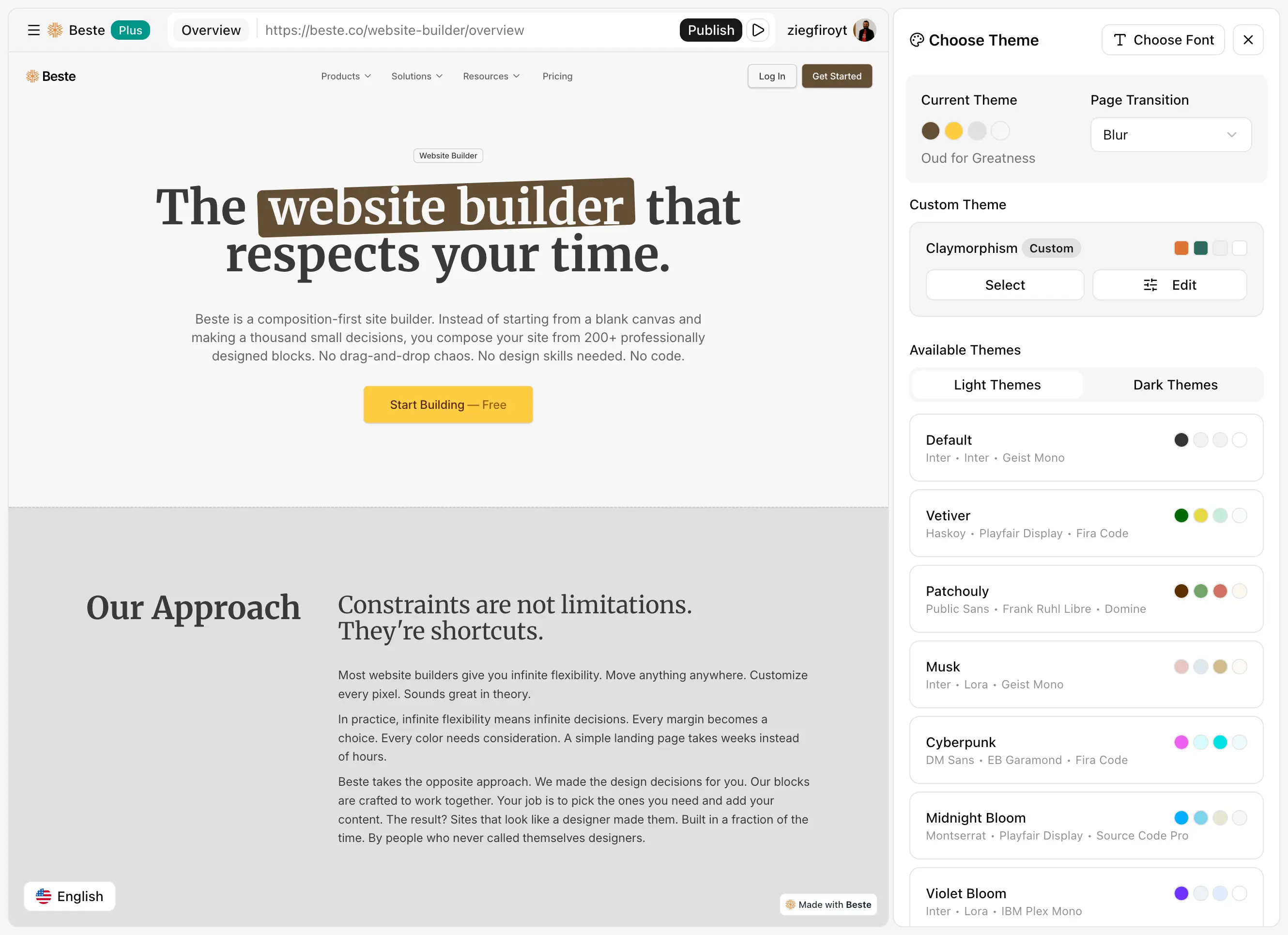
Most website builders assume more options are better. Beste assumes the opposite. Fewer decisions mean faster progress. Structured blocks mean consistent design. Limitations become advantages.
How Beste Thinks Differently
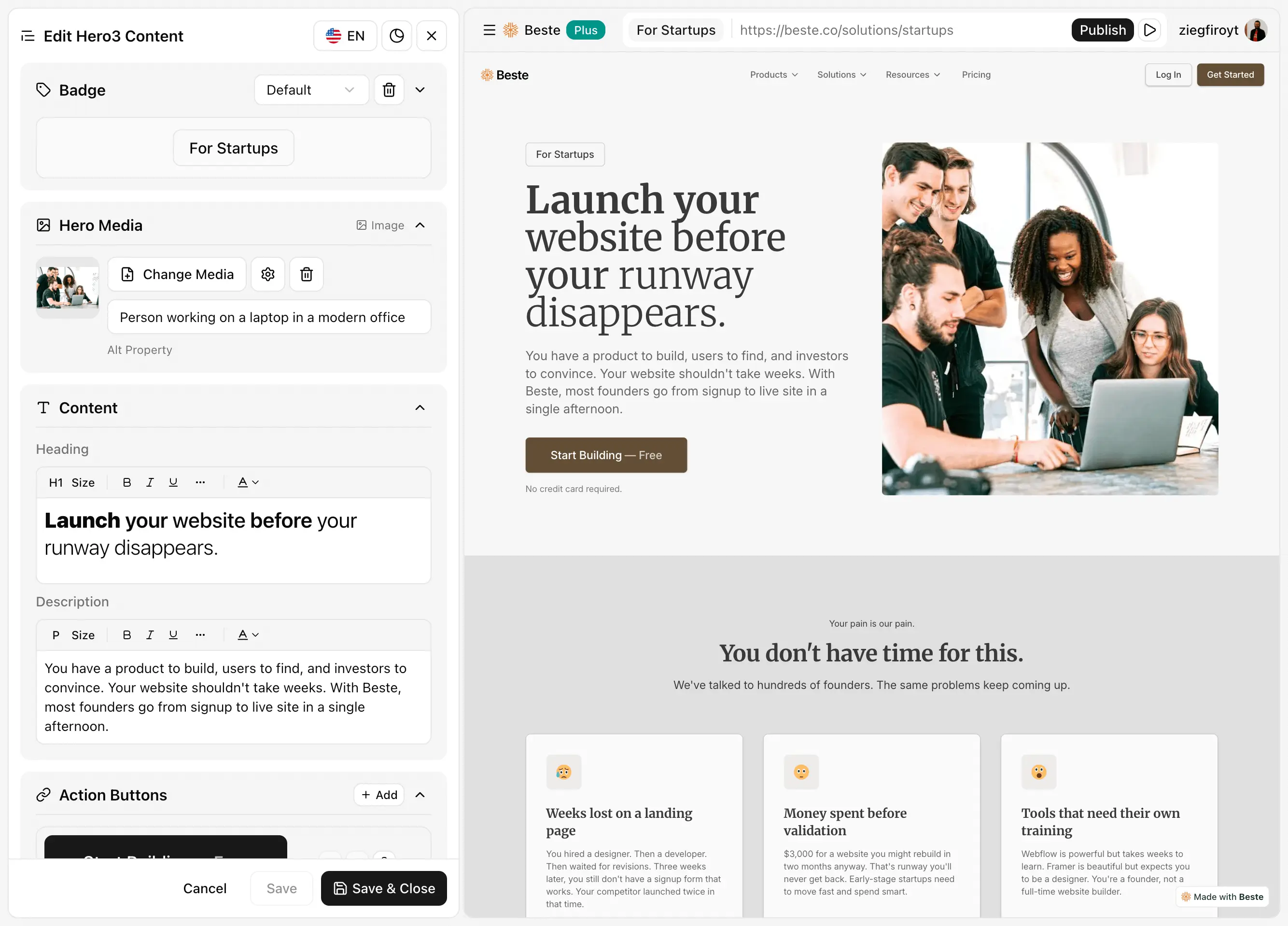
Blocks replace blank canvases. You do not design from scratch. You select from 200+ pre-designed blocks: hero sections, feature grids, testimonials, pricing tables, footers. Each block is complete and professional.
Sidebar editing replaces inline editing. You do not click on elements to edit them. You use a clean sidebar that shows all content in organized panels. Changes are predictable and consistent.
No drag-and-drop. You do not position elements manually. Blocks have fixed structures. You choose blocks and customize content. The layout handles itself.
shadcn-based design system. Every block uses shadcn/ui components. This ensures visual consistency. Blocks designed with the same system naturally complement each other.
What Beste Does Well
Effectively zero learning curve. Most users understand Beste within minutes. The workflow is simple: pick blocks, customize in sidebar, publish. No tutorials needed. No weeks of practice.
Guaranteed visual consistency. Because all blocks share a design system, they work together automatically. You cannot accidentally create a site where sections clash visually. The constraints protect you.
200+ ready blocks. Everything a typical landing page or portfolio needs. Hero variations, feature sections, team grids, FAQ accordions, CTA blocks. All pre-designed by professionals. New blocks added daily.
Free custom domain. Connect your domain on the free tier. Most builders charge for this. Removing this barrier helps people test ideas without upfront cost.
Free multi-language support. 32 languages included. No add-ons. No extra costs per language. Create multilingual content directly in the platform. For businesses serving diverse audiences, this saves real money compared to Framer.
Section-based CMS with built-in blog. Manage content at the section level. Publish articles without external tools. No integration complexity. The blog works out of the box.
Marketing integrations. Google Analytics, Google Tag Manager, Meta Pixel, PostHog, Tawk.to, Intercom. Connect your tools without code.
Beste's Honest Limitations
Less creative freedom. This is the trade-off. If you imagine a layout that does not fit any block structure, Beste cannot build it. The constraints that make it fast also limit what is possible.
Fewer animation options. Framer's animation tools are exceptional. Beste includes pre-built effects but nothing matching Framer's flexibility. If motion design is your priority, Framer wins clearly.
Newer, smaller community. Framer has years of tutorials, templates, and community knowledge. Beste is building that ecosystem. Resources are growing but not yet comparable.
Section-based CMS approach. Beste's content management is designed around sections and includes a full blog system. For complex content structures with deep relationships and filtering, more powerful tools exist.
Direct Comparisons: Point by Point
Learning Curve
Framer is faster to learn than many tools, especially for designers. The familiar canvas helps. But you still need to understand responsive design, component states, and interaction logic.
Beste is almost instant. The sidebar interface is self-explanatory. Most users build their first site without consulting documentation.
Design Flexibility
Framer lets you build unique designs. Your creativity determines the outcome. This is powerful for skilled designers, risky for others.
Beste limits what you can build. In exchange, it guarantees professional results. The blocks are designed to look good. You cannot accidentally make something ugly.
Animation Capabilities
This is not close. Framer dominates animation. If motion design matters to your project, Framer is the clear choice.
Beste includes tasteful pre-built effects. They work well but are not customizable. For sites where content matters more than motion, this is sufficient.
CMS Comparison
Framer's CMS is capable but the tiered access creates pressure to upgrade. Needing two collections (very common) immediately pushes you to the $30/month Pro plan.
Beste takes a different approach with section-based content management and integrated blog functionality. For complex content operations, neither tool competes with dedicated CMS platforms.
Real Pricing Scenarios
Scenario 1: Simple landing page
| Monthly Cost | |
|---|---|
| Framer | $10 (Basic) |
| Beste | $0 (Free tier with custom domain) |
Scenario 2: Portfolio with blog
| Monthly Cost | |
|---|---|
| Framer | $30 (Pro, because 2 CMS collections needed) |
| Beste | $0 (Free tier includes blog) |
Scenario 3: Multilingual business site (3 languages)
| Monthly Cost | |
|---|---|
| Framer | $50-80+ (Pro plus locale add-ons) |
| Beste | $0 (32 languages included free) |
The multilingual scenario shows a significant cost difference. Framer's per-locale pricing adds up quickly. Beste includes multi-language support without extra charges.
Time to Launch
Framer is reasonably fast for people who know design tools. But crafting custom layouts, tuning animations, and perfecting responsive behavior takes time.
Beste is dramatically faster because decisions are pre-made. Block selection replaces layout design. Sidebar customization replaces pixel adjustment.
Scenarios: Which Tool for Which Situation?
"I am a designer building my portfolio."
Winner: Framer
Your portfolio showcases your design skills. You want creative control. Animations help your work stand out. Framer's canvas feels natural to you.
Beste's constraints would limit your creative expression. For portfolios specifically, creative freedom matters.
"I need a landing page for my product launch tomorrow."
Winner: Beste
Time pressure makes constraints valuable. You cannot spend days perfecting animations. You need something professional online quickly.
Beste gets you there in hours. The blocks are already well-designed. Your job is adding content, not creating layouts.
"My site needs to work in four languages."
Winner: Beste
Framer charges per additional locale. Four languages on Framer Pro could cost $100+/month. Beste includes 32 languages in the base price.
The cost difference is substantial for businesses serving international audiences.
"I want my site to have impressive animations."
Winner: Framer
Not close. Framer's animation tools are the best in this category. Scroll effects, transitions, micro-interactions. If motion design is a priority, Framer is your tool.
"I tried Framer but my sites did not look as good as the templates."
Winner: Beste
This is common. Templates look great because professionals designed them. Recreating that quality requires design skills many users lack.
Beste's blocks are the template experience applied to building. Every block is professionally designed. Your site inherits that quality automatically.
The Real Cost: Time Investment
Monthly subscription prices are easy to compare. Time costs are hidden but often larger.
Consider someone billing $50/hour:
| Learning + Building | Time Cost | Year 1 Subscription | Total Year 1 Cost | |
|---|---|---|---|---|
| Framer | 30-50 hours | $1,500-2,500 | ~$360 (Pro) | $1,860-2,860 |
| Beste | 4-8 hours | $200-400 | $0-120 | $200-520 |
Even at lower hourly rates, the time difference is significant. Framer is faster to learn than many tools, but it still requires investment. Beste nearly eliminates that investment.
Stay Updated
Conclusion: Your Decision Framework
Choose Framer if:
You have design skills and want to use them
Animations and interactions are important
You are coming from Figma or similar tools
You value creative freedom over speed
Your budget accommodates potential locale and seat costs
Choose Beste if:
Speed to launch is your priority
You want professional results without design skills
Multi-language support is needed
You prefer guidance over blank canvases
Constraints feel like help rather than limitation
Common Questions & Answers
For designers, no. The interface feels familiar. For non-designers, moderate. You still need to understand layout and responsive design concepts.
No. Beste includes pre-built effects but nothing approaching Framer's animation capabilities. If motion design is essential, Framer is the right choice.
Both produce SEO-friendly output. The difference is negligible for most sites. Content quality matters more than builder choice.
No automatic migration exists. You would rebuild using Beste's blocks. For simpler sites, this is often quick.
Neither tool has strong built-in e-commerce. Framer integrates with external platforms like Shopify. If e-commerce is central, consider other options.
Framer has 24-hour email support on all plans, with priority support for Pro and Scale. Beste is building its support infrastructure. Framer currently has the advantage here.
Final Thoughts
The website builder you choose shapes how you work. The wrong choice creates friction. The right choice feels natural.

Framer feels natural to designers. The canvas, the tools, the creative freedom. It matches how designers think.
Beste feels natural to people who want results without the creative journey. The blocks, the sidebar, the constraints. It matches how non-designers can succeed.
Know which type of person you are. Choose accordingly.
Then stop comparing and start building. The best website is the one that ships.
Latest Articles
Deep dives into website building, design decisions, and shipping faster.