Wix vs Beste

Wix vs Beste

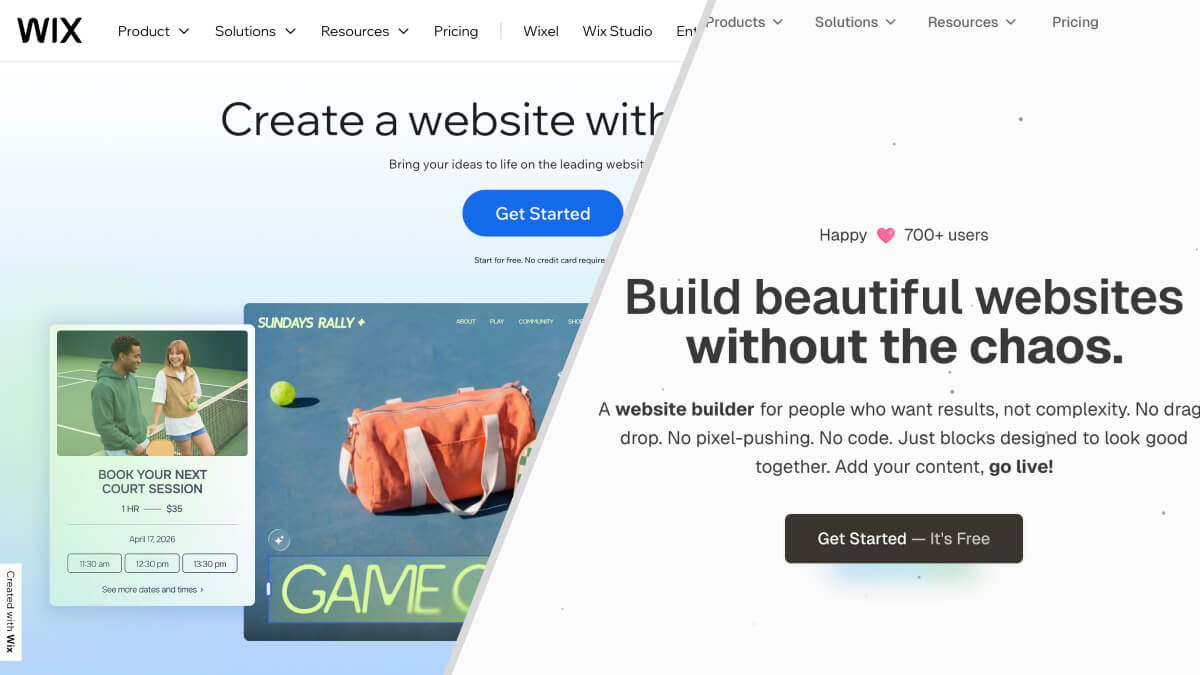
Mass-Market Giant or Focused Simplicity?

Wix is everywhere. Super Bowl ads. Celebrity endorsements. Over 230 million users worldwide. When people think "website builder," many think Wix first.

But being everywhere does not mean being right for everyone.

Wix built its empire on giving people everything: drag-and-drop editing, 900+ templates, 800+ apps, AI tools, e-commerce, bookings, restaurants, hotels, events. The platform tries to serve everyone from hobbyists to enterprises.

Beste takes the opposite approach. Instead of everything, it offers constraints. Instead of infinite options, it offers curated blocks. Instead of months of exploration, it offers hours to launch.

This comparison helps you understand which philosophy fits your situation.

Compare

Who Is This Comparison For?

If you want a professional website without spending weeks learning a platform, this comparison will help you decide.

This comparison helps people building:

  • Landing pages
  • Portfolio websites
  • Small business sites
  • Personal blogs
  • Marketing pages

This comparison is NOT for people building:

  • Large e-commerce stores with complex inventory
  • Restaurant or hotel booking systems
  • Custom web applications requiring specific Wix apps

Quick Comparison: The Essentials

WixBeste
Best forPeople who want lots of optionsPeople who want fast results
Learning curveModerate (days to weeks)Minimal (hours)
Starting price$17/month (Light)Free
Free custom domainNo (1 year free, then ~$15/year)Yes
Free multi-languageNo (credit-based system)Yes
Unlimited pagesNo (100 page limit)Yes, all plans
Time to first site1-3 weeks2-6 hours
Template lock-inYes (cannot change after building)No (blocks are modular)
Design approachDrag-and-drop canvasStructured blocks

Wix: The Everything Platform

What Exactly is Wix?

Wix launched in 2006 with a simple idea: let anyone build a website by dragging and dropping elements on a page. No code required. The interface felt intuitive. People loved it.

Over the years, Wix expanded. And expanded. And expanded some more.

Today Wix is not just a website builder. It is an entire ecosystem: e-commerce platform, booking system, event manager, restaurant menu builder, email marketing tool, CRM, and more. The App Market contains 800+ applications. The template library exceeds 900 designs.

Wix tries to be everything for everyone. For some users, this abundance is liberating. For others, it becomes overwhelming.

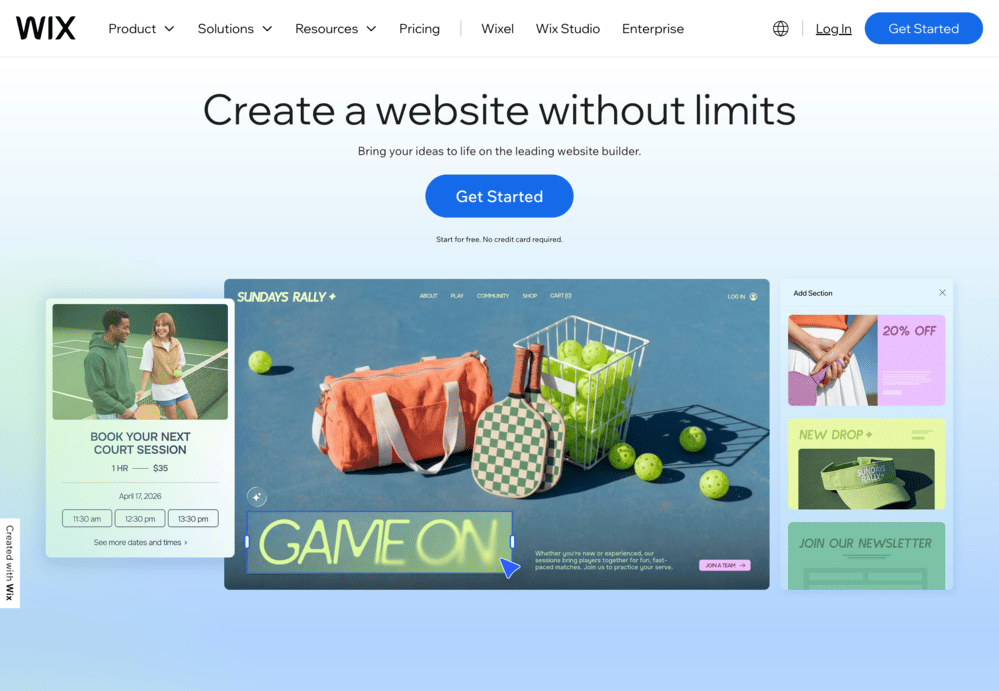
Wix: Website Builder

What Wix Does Well

Massive template selection. Over 900 professionally designed templates across every imaginable category. Restaurants, photographers, musicians, consultants, online stores. If you can imagine a business type, Wix probably has templates for it.

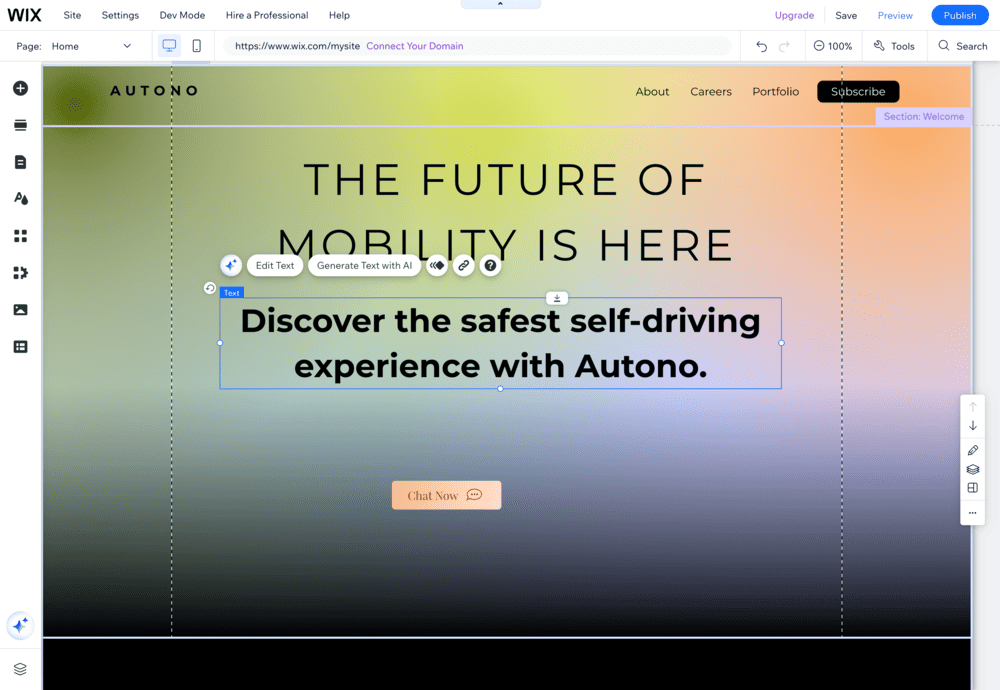
Drag-and-drop flexibility. Move any element anywhere on the page. Complete freedom over positioning. If you have a specific vision and want pixel-level control, Wix lets you achieve it.

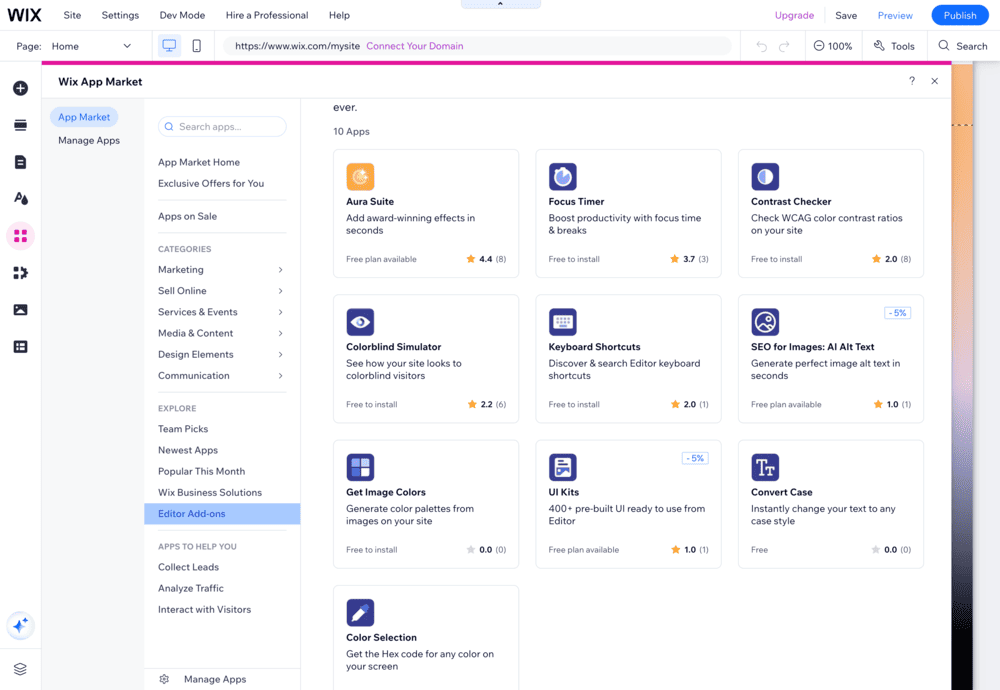
Comprehensive app ecosystem. The Wix App Market offers 800+ applications. Need appointment booking? There is an app. Event ticketing? App. Restaurant ordering? App. This extensibility handles specialized business needs.

AI-powered features. Wix ADI (Artificial Design Intelligence) can generate an entire website based on your answers to simple questions. The AI text creator helps with content. The new Business Launcher tool helps entrepreneurs plan their ventures.

Built-in business tools. CRM, email marketing, invoicing, customer management. Wix provides tools that other builders require third-party integrations for.

Strong brand recognition. When clients or partners see "Wix," they recognize the name. This legitimacy matters for some businesses.

Wix: Website Builder Editor
Wix: Website Builder App Selection

Where Wix Gets Complicated

The paradox of choice. 900+ templates sounds great until you need to choose one. 800+ apps sounds powerful until you need to figure out which ones you actually need. Abundance creates decision fatigue.

Many Wix users report spending days just browsing templates, unable to commit. The freedom becomes paralysis.

Template lock-in is real. Once you choose a template and build your site, you cannot switch to a different template. Your content does not transfer. Starting over means literally starting over.

This is a significant limitation. Your business evolves. Your aesthetic preferences change. With Wix, changing your site's fundamental design means rebuilding from scratch.

Absolute positioning creates responsive headaches. Wix uses absolute positioning, meaning you place elements at specific coordinates on the page. This gives freedom but creates problems.

When screens change size, absolutely positioned elements do not automatically reflow. You must manually adjust layouts for tablet and mobile views. This adds significant work that users of truly responsive builders avoid.

The 100-page limit. Wix sites cannot exceed 100 pages. For most small businesses, this is fine. For content-heavy sites, blogs with years of posts, or large portfolios, this limit becomes a real constraint.

Pricing complexity. Wix has multiple plan tiers: Free, Light ($17), Core ($29), Business ($39), Business Elite ($159), and Enterprise (custom pricing). Understanding which features appear at which tier requires careful reading.

The free plan shows Wix ads and uses a Wix subdomain. Removing ads requires the Light plan minimum. E-commerce requires Core or higher. Analytics integrations require paid plans.

Multi-language costs add up. Wix Multilingual uses a credit-based system for auto-translation. You get 3,000 free word credits initially. After that, you purchase credit packages: 3,000 words, 10,000 words, or 50,000 words.

For a 100,000-word site translated into three languages, costs can reach €150 or more just for translation credits, on top of your monthly subscription.

Cannot export your site. This is perhaps Wix's biggest limitation. You cannot export your Wix website to host elsewhere. Your site lives on Wix servers permanently. If you outgrow Wix or want to switch platforms, you rebuild from zero.

This vendor lock-in is a serious consideration for growing businesses.

Wix Pricing (2026)

Free Plan: Wix subdomain, Wix ads displayed, basic features, 500MB storage

Light Plan ($17/month): Custom domain (free first year), no Wix ads, 2GB storage, basic marketing tools

Core Plan ($29/month): E-commerce basics, 50GB storage, booking tools, analytics, 5 collaborators

Business Plan ($39/month): Advanced e-commerce, 100GB storage, multiple currencies, 10 collaborators

Business Elite ($159/month): Unlimited storage, priority support, advanced reporting, custom reports

All prices are for annual billing. Monthly billing costs significantly more.

Hidden costs to consider:

  • Domain renewal after first year: ~$15/year

  • Professional email: $6/month per user

  • Premium apps: $3-$50/month depending on app

  • Translation credits: varies based on word count

  • Transaction fees for e-commerce: 2.9% + $0.30 per sale

Beste: The Constraint-Based Alternative

What is Beste?

Beste rejects the "everything for everyone" approach. Instead of infinite options, it provides structured constraints. Instead of a blank canvas, it provides pre-designed blocks.

The philosophy: constraints accelerate results.

When everything is possible, every decision becomes difficult. When options are curated, progress becomes fast. Beste bets that most people would rather launch quickly than explore endlessly.

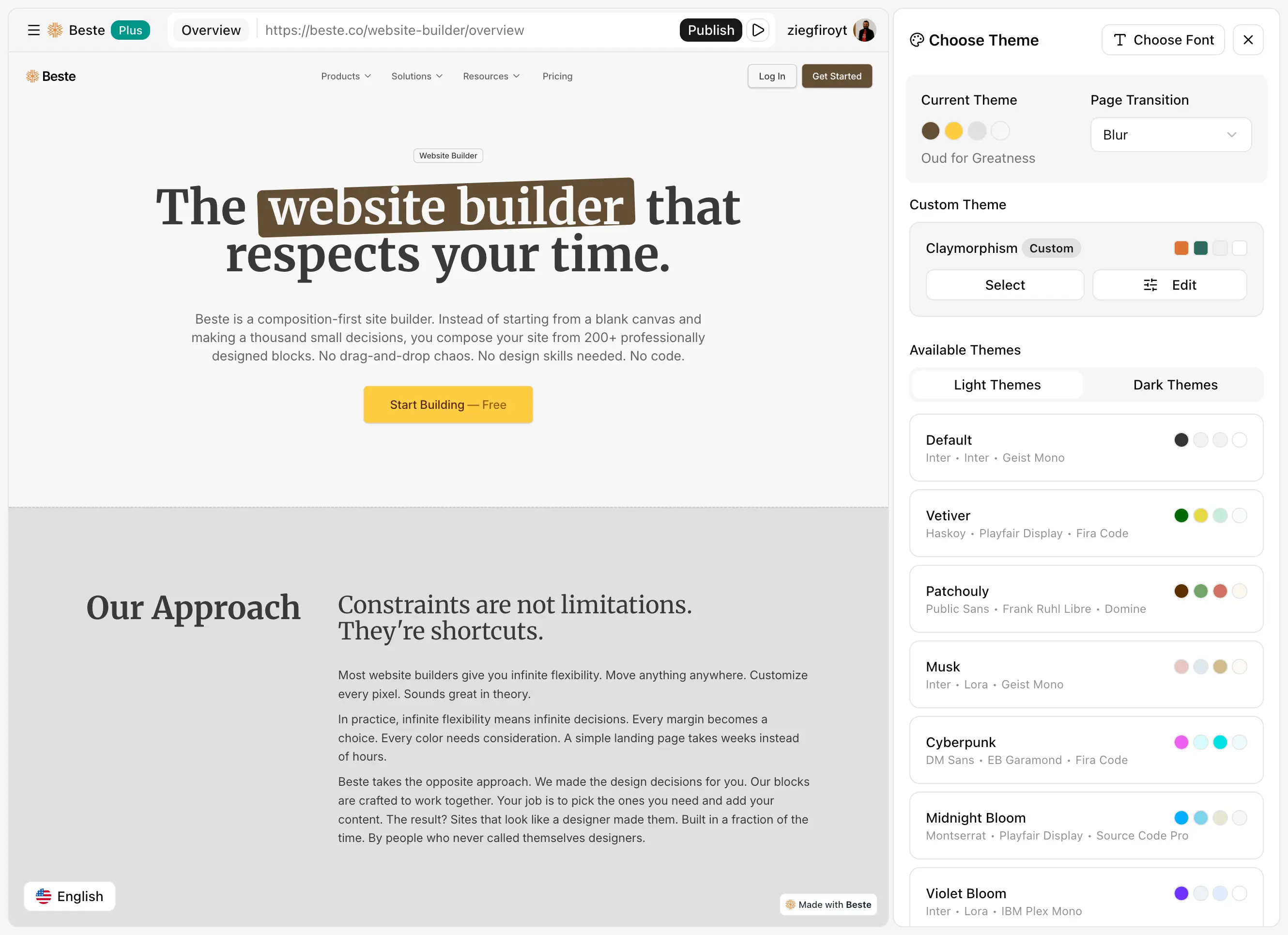
Beste: Website Builder Theme Selection

How Beste Thinks Differently

Blocks replace templates. You do not choose one template and hope it works forever. You select individual blocks: hero sections, feature grids, testimonials, pricing tables, footers. Mix and match. Change any block anytime without affecting others.

Template lock-in does not exist because there is no template. Just composable blocks.

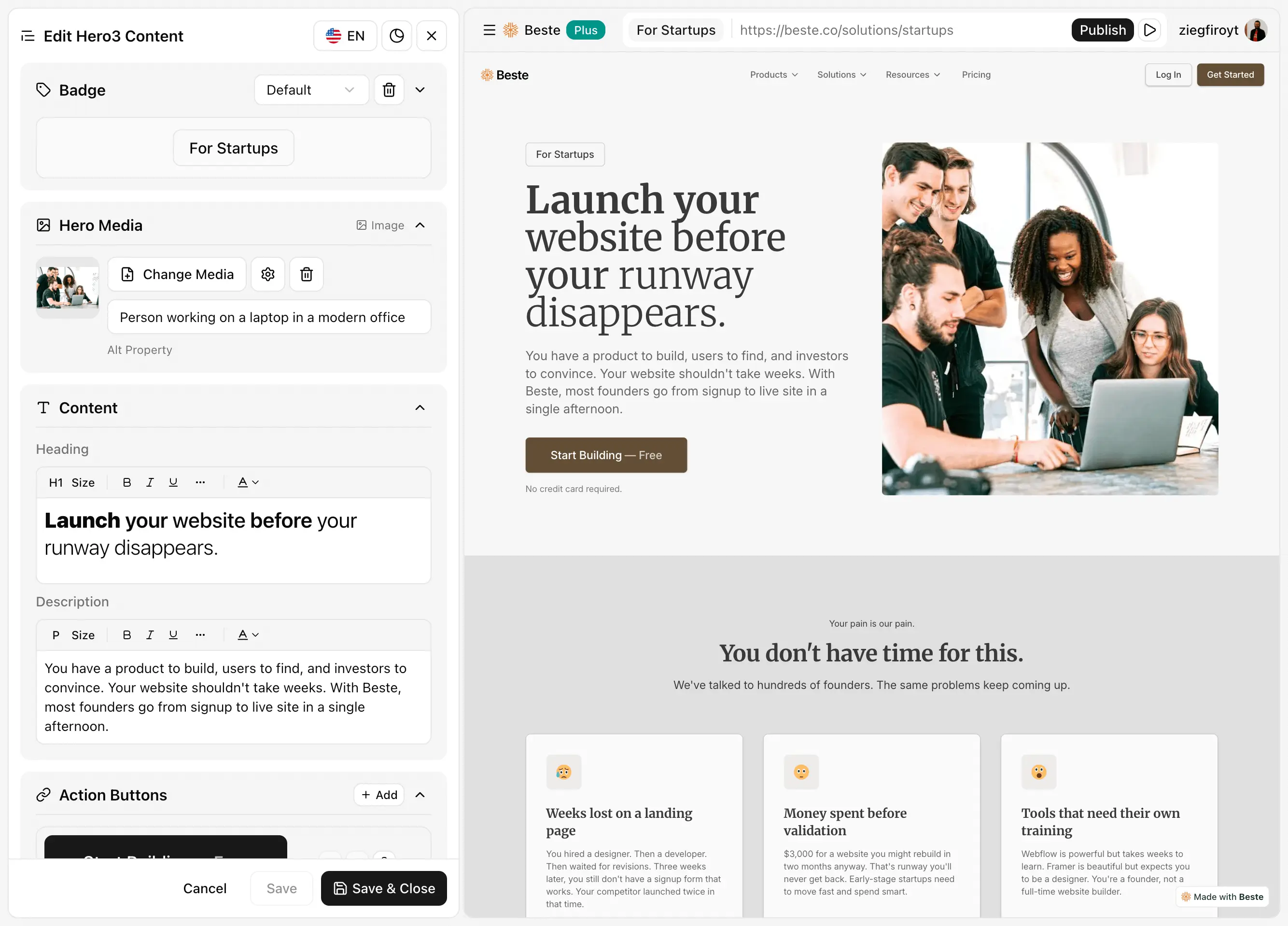
Sidebar editing replaces pixel-pushing. You do not drag elements around a canvas. You select a block and edit its content in a clean sidebar. All options are visible. Changes are predictable.

This eliminates the responsive problems of absolute positioning. Blocks are designed to work across all screen sizes automatically.

shadcn-based design system. Every block uses components from shadcn/ui, a popular design system known for clean, modern aesthetics. This creates automatic visual consistency. Blocks naturally look good together because they share the same design DNA.

What Beste Does Well

Near-zero learning curve. Most users understand Beste completely within their first session. Pick blocks, edit content in sidebar, publish. The entire workflow takes minutes to learn, not days or weeks.

No template lock-in. Want to change your hero section? Swap in a different hero block. Want a new layout for your features? Pick a different features block. Your content stays. Only the presentation changes.

This flexibility means your site evolves with your business without requiring rebuilds.

Guaranteed visual consistency. Because all blocks share a design system, visual consistency is automatic. You cannot accidentally create a site where sections clash. The constraints protect you from design mistakes.

300+ professional blocks. Heroes, features, testimonials, pricing, CTAs, footers, headers, team sections, FAQ accordions, blog layouts. Everything a landing page or portfolio needs. New blocks added regularly.

Free custom domain. Connect your domain on the free tier. No first-year-free-then-pay-later. Just free, permanently.

Free multi-language support. 32 languages included without credit systems or word limits. Create multilingual content directly. AI-powered translation available on Plus plan.

For businesses serving international audiences, this represents significant savings compared to Wix's credit-based system.

Built-in blog. Write and publish without external tools. No CMS add-ons required. The blog works out of the box.

No page limits. Create as many pages as your site needs. Unlike Wix's 100-page cap, Beste does not restrict your content volume.

Marketing integrations included. Google Analytics, Google Tag Manager, Meta Pixel, PostHog, Tawk.to, Intercom. Connect your tools without code, without extra apps, without additional fees.

Beste: Website Builder Content Editor

Beste's Honest Limitations

Less design flexibility. If you want a completely unique layout that breaks all conventions, Beste cannot build it. The blocks define what is possible. Creative freedom is traded for consistent quality.

Smaller ecosystem. Wix has 800+ apps for every imaginable business need. Beste focuses on marketing sites, landing pages, portfolios, and blogs. Specialized business tools (restaurant ordering, hotel bookings, event ticketing) are not available.

Newer platform. Wix has operated since 2006 with 230+ million users. Beste is newer with a growing community. Documentation and third-party resources are building but not yet matching Wix's scale.

No built-in e-commerce checkout. Beste does not process payments directly. For e-commerce, you link to external checkout systems like Shopify, Stripe, or Gumroad. This works well for product showcases but differs from Wix's integrated store experience.

Direct Comparisons

Learning Curve

Wix: Moderate learning curve. The drag-and-drop interface is intuitive, but the sheer number of options creates complexity. Understanding which apps you need, how responsive editing works, and how to navigate the dashboard takes time. Expect days to feel comfortable, weeks to feel proficient.

Beste: Almost instant. The workflow is self-explanatory. Users typically build their first site without consulting documentation. Hours, not days.

Design Flexibility vs. Speed

This is the core trade-off.

Wix: Maximum flexibility, slower execution. You can build almost anything, but everything requires decisions. Each decision takes time.

Beste: Limited flexibility, faster execution. You build within constraints, but those constraints eliminate decisions and accelerate progress.

Template / Block Philosophy

Wix: Choose one template at the start. Build within that template's structure. Cannot change templates later without rebuilding. Your choice at the beginning locks you in.

Beste: Choose blocks individually. Swap any block anytime. No lock-in. Your site can evolve section by section.

Responsive Design

Wix: Uses absolute positioning. You gain pixel-level control but must manually adjust layouts for different screen sizes. Mobile editing is a separate task requiring attention.

Beste: Blocks are inherently responsive. Designed to work across all devices automatically. No separate mobile editing required.

Multi-Language Support

Wix: Supports 180+ languages but uses a credit-based system for auto-translation. Manual translation is free but time-consuming. Costs scale with content volume.

Beste: 32 languages included free. No credits, no word limits. AI translation available on Plus plan.

Page Limits

Wix: 100-page limit on all plans.

Beste: Unlimited pages on all plans, including free.

Real Pricing Scenarios

Scenario 1: Simple landing page

Monthly Cost
Wix$17 (Light plan to remove ads and add domain)
Beste$0 (Free tier with custom domain)

Scenario 2: Small Buesiness Site with Blog

Monthly Cost
Wix$17-29 (Light or Core depending on needs)
Beste$0 (Free tier includes blog)

Scenario 3: Multilingual Site (3 languages)

Monthly Cost
Wix$17-29/month + translation credits ($50-150+ depending on content)
Beste$0 (32 languages included free)

Time Investment Comparison

Time costs often exceed subscription costs. The tool that gets you live faster may be cheaper even if it appears more expensive on paper.

Learning + BuildingTime CostYear 1 SubscriptionTotal Year 1 Cost
20-40 hours$1,000-2,000~$204-348$1,204-2,348
Beste4-8 hours$200-400$0-120$200-520

Scenarios: Which Tool Wins?

"I need my website live this week, not this month."

Winner: Beste

Time pressure makes constraints valuable. You cannot spend weeks evaluating 900 templates and 800 apps. Beste's focused approach gets you live in hours.

“I want complete creative control over every pixel.”

Winner: Wix

If you have a specific design vision and want to place every element exactly where you imagine it, Wix's canvas approach gives you that control. Beste's blocks define structure for you.

"I run a restaurant and need online ordering."

Winner: Wix

Wix has specialized apps for restaurants, including menus, ordering, and reservations. Beste focuses on marketing sites and does not offer restaurant-specific functionality.

"I want to build my site once and change the design later without rebuilding."

Winner: Beste

Wix's template lock-in means design changes require starting over. Beste's modular blocks let you swap sections anytime without affecting content.

"My site needs to work in multiple languages."

Winner: Beste

Wix's credit-based translation system adds costs. Beste includes 32 languages free. For international businesses, this difference is significant.

"I might outgrow this platform someday."

Winner: Beste

Wix does not allow site export. If you outgrow the platform, you rebuild elsewhere from scratch. Beste uses portable technology that does not lock you in.

"I am not a designer and worry about making something ugly."

Winner: Beste

Wix gives you a blank canvas and complete freedom, including freedom to make design mistakes. Beste's pre-designed blocks guarantee professional results regardless of your design skills.

"I need lots of business tools: CRM, email marketing, invoicing."

Winner: Wix

Wix's extensive app ecosystem provides built-in business tools that Beste does not offer. If you need an all-in-one business platform, Wix's breadth is valuable.

Stay Updated

Subscribe to our newsletter and get the latest updates directly in your inbox.
FAQ

Frequently Asked Questions

1
Is Wix really that hard to learn?

Not hard, but time-consuming. The interface is intuitive. The challenge is navigating options. With 900+ templates and 800+ apps, understanding what you need takes exploration. Budget days, not hours.

2
Can I switch from Wix to Beste later?

There is no automatic migration. Wix does not allow site export. You would rebuild your site using Beste's blocks, recreating content manually. For simpler sites, this is often faster than the original Wix build.

3
Is Beste too limiting for professional sites?

Define "professional." Many successful businesses run on clean, effective landing pages. If professional means "completely custom and unique," Beste's constraints may feel limiting. If professional means "polished and functional," Beste delivers.

4
Which has better SEO?

Both produce SEO-friendly output. Wix includes SEO Wiz with guidance. Beste includes customizable meta tags, sitemaps, and clean URLs. For most sites, the difference is negligible. Content quality matters more than platform choice.

5
What about e-commerce?

Wix has integrated e-commerce with cart, checkout, and inventory management. Beste is designed for marketing sites and links to external checkout (Shopify, Stripe, Gumroad). If e-commerce is central to your business, Wix is more complete. If you need a product showcase with external checkout, Beste works well.

6
Can I use custom code in Beste?

No. Beste is intentionally code-free. If custom JavaScript or CSS is essential, Wix offers more technical flexibility (though still limited compared to self-hosted solutions).

Conclusion: Making Your Decision

Choose Wix if:

  • You want maximum design flexibility

  • You need specialized business apps (restaurants, hotels, events)

  • Built-in e-commerce checkout is essential

  • You value having everything in one platform

  • You have time to explore options and make decisions

Choose Beste if:

  • Speed to launch is your priority

  • You want professional results without design skills

  • Multi-language support matters and budget is important

  • You prefer guidance over unlimited options

  • You want flexibility to change your site without rebuilds

  • No vendor lock-in is important to you

Both are legitimate choices for different situations.

The question is not which tool has more features. The question is which tool gets you to your goal with less friction.

Final Thoughts

The website builder you choose shapes how you work. The wrong choice creates friction. The right choice feels natural.

Final Thought: Which one is good? Wix vs Beste?

Wix built an empire by saying yes to everything. Every feature request, every business type, every possible use case. The result is a platform of enormous breadth.

Beste built differently by saying no to most things. No drag-and-drop. No template lock-in. No pixel-pushing. No unlimited options. The result is a platform of focused speed.

Breadth serves people who want to explore. Focus serves people who want to launch.

Know which person you are. Choose accordingly.

Then stop comparing and start building. The best website is the one that exists.

Ready to try the faster approach?

Start building with Beste for free.

Latest Articles

Deep dives into website building, design decisions, and shipping faster.

8 Homepage Trends That Actually Work in 2026

8 Homepage Trends That Actually Work in 2026

Clear headlines, faster load times, social proof up front. Eight homepage trends actually converting in 2026, based on real results, not design awards.

EMEsha Melton
Feb 6, 2026
How to Write Website Copy That Converts
Content StrategyWebsite TipsConversion

How to Write Website Copy That Converts

Most website copy talks about the company instead of the visitor. A practical guide to headlines, CTAs, and copy that actually converts.

EMEsha Melton
Feb 3, 2026
What Nobody Tells You About Responsive Design
Responsive Design

What Nobody Tells You About Responsive Design

Most website builders make responsive design your problem. Manual mobile adjustments, broken layouts, hours of fixes. Here is what actually works and what to look for.

DADiana Angelova
Feb 3, 2026
Made with Beste